
Documentation
Templates and color schemes
Translated from the Portuguese original. Labels from the CLI and the admin panel stay in Portuguese, as you will see them.
Rubrica ships with 13 layouts and 15 color schemes, each scheme with a light and a dark mode. You pick all of this when you create the project with the CLI, and you can change it later with rubrica config:
npx create-rubrica meu-portfolio
# "Rápido" (quick): Layout → Plugins → Identity (colors, texture and fonts come from the layout's recommendation)
# "Personalizado" (custom): Layout → Color scheme → Mode (light/dark/automatic) → Toggle → Texture → Fonts → Plugins → Identity
Layout, scheme, mode and texture are independent: any layout works with any scheme, in both modes. Each layout suggests a combination. Quick mode applies it directly, and custom mode shows it as the recommended choice.
Original layouts
They use the 4 colors of the original contract (--bg, --text, --primary, --accent).
| Layout | In one sentence | Navigation | |
|---|---|---|---|
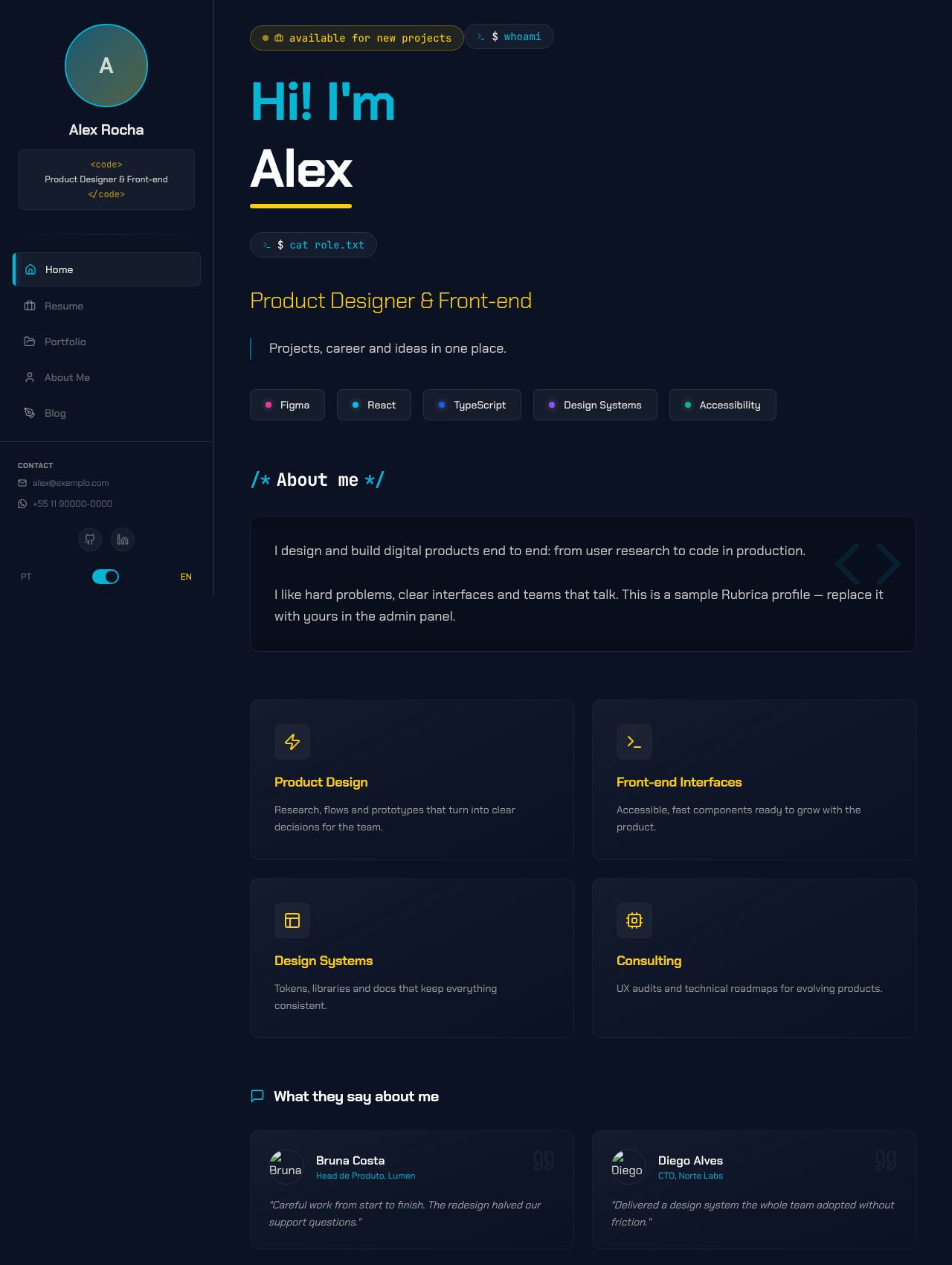 |
Cyberpunk | Rubrica's original look: a neon terminal with a sidebar and a profile photo | Fixed sidebar on the left |
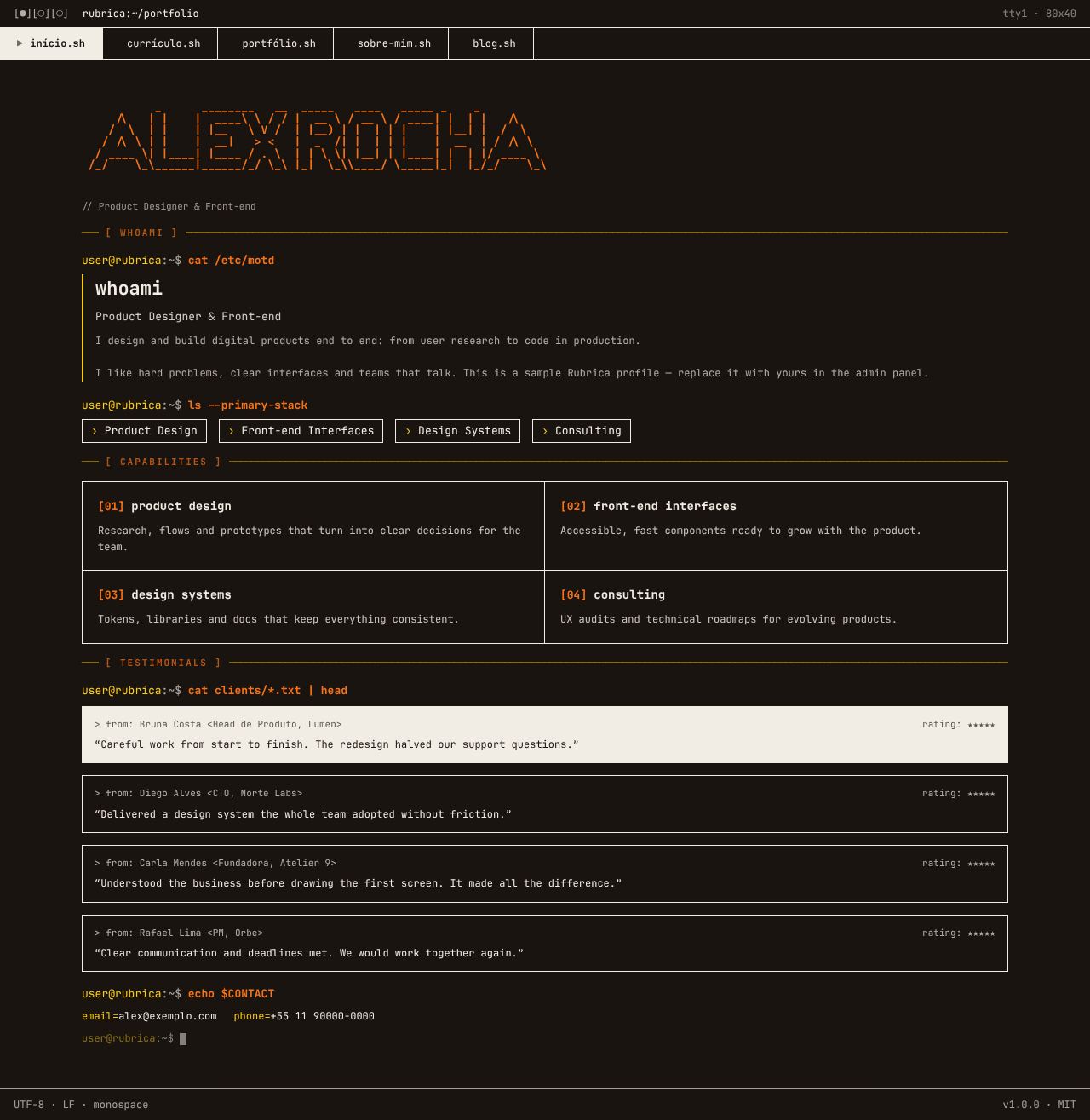 |
Brutalism Terminal | The whole site as a Unix terminal session, in monospace and with no rounded corners | .sh tabs at the top |
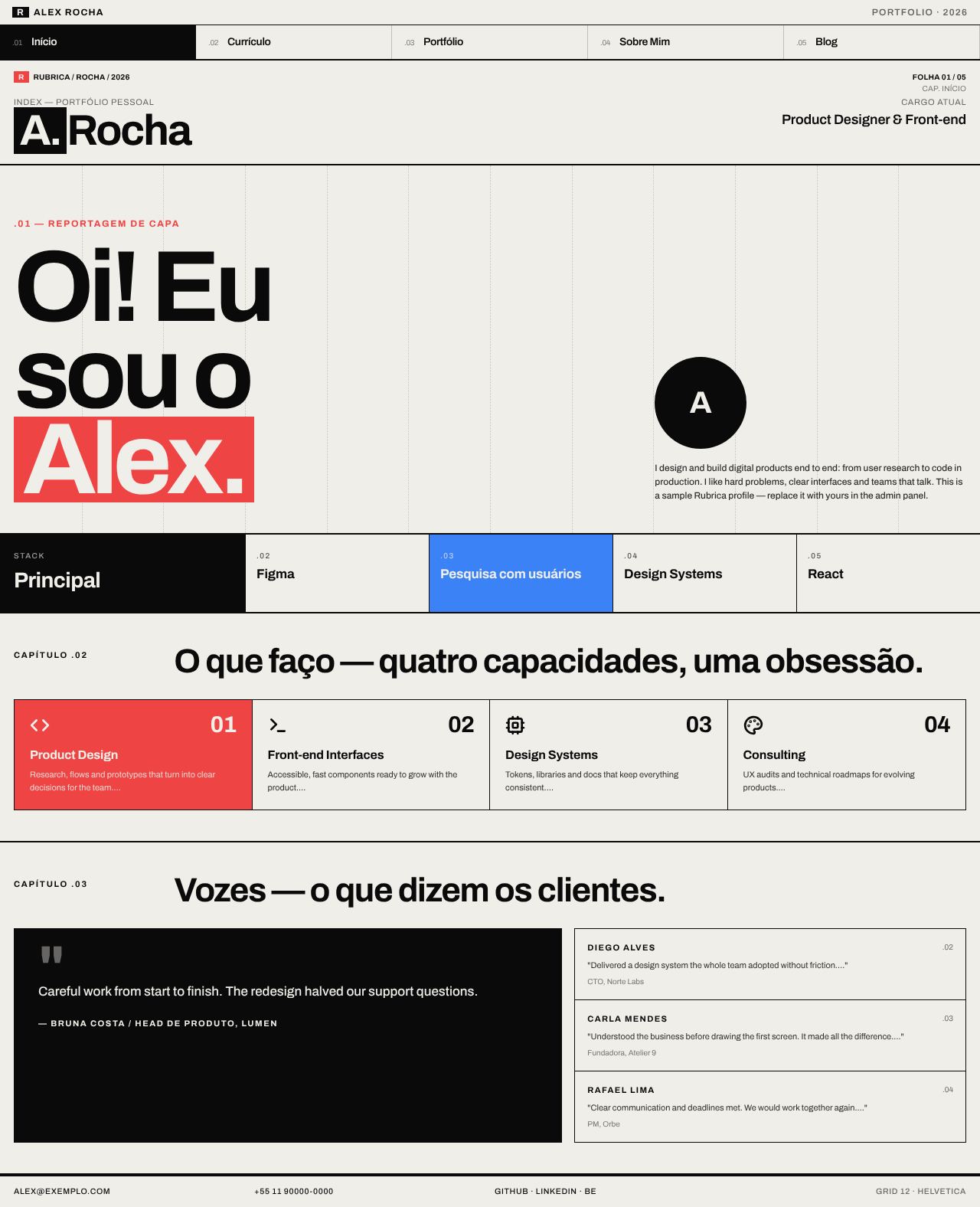 |
Swiss Grid | A Swiss poster on a 12-column grid, with heavy type and solid color blocks | 5-column bar at the top |
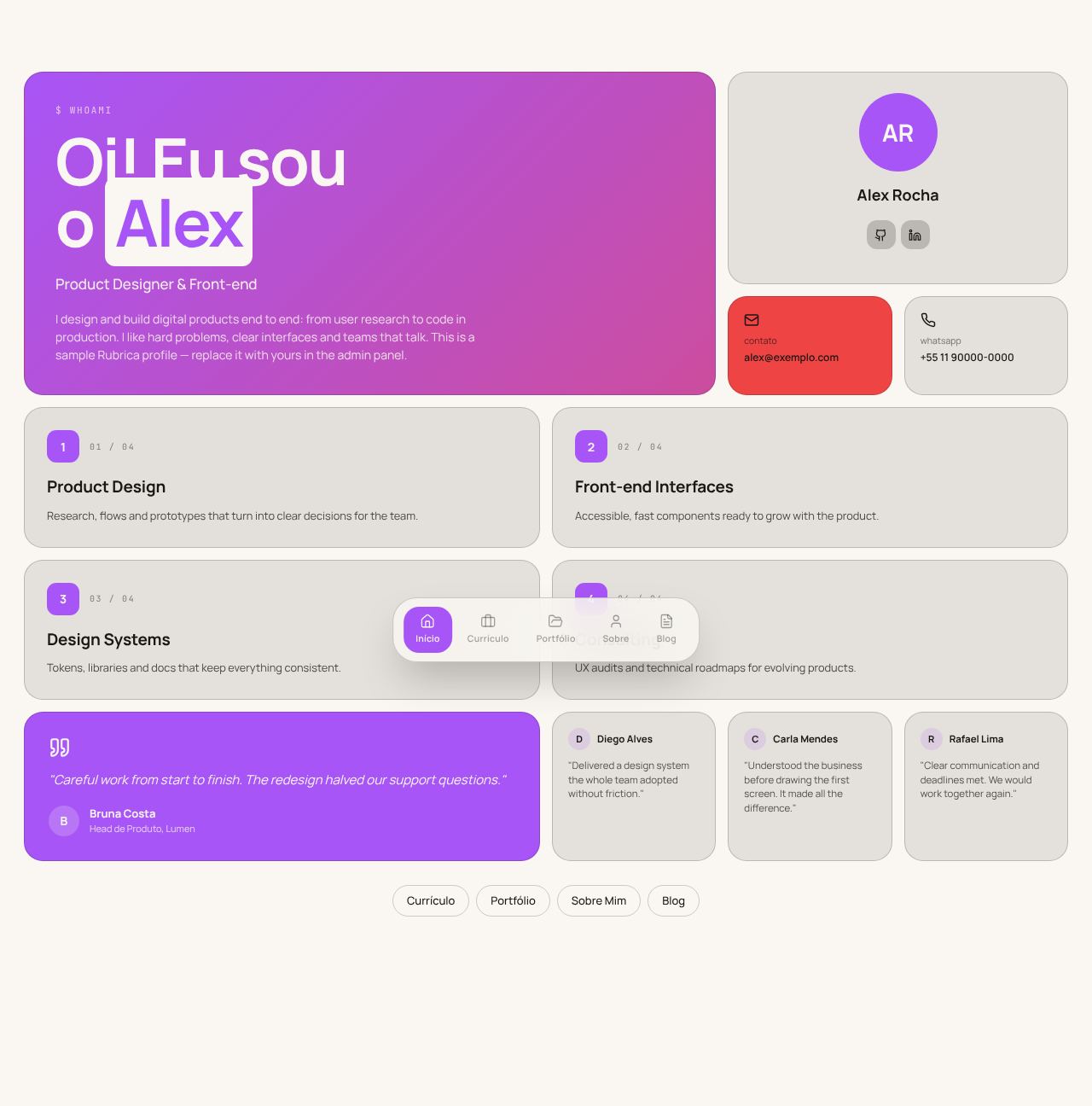 |
Bento | A mosaic of rounded cards, product-oriented | Floating dock at the bottom |
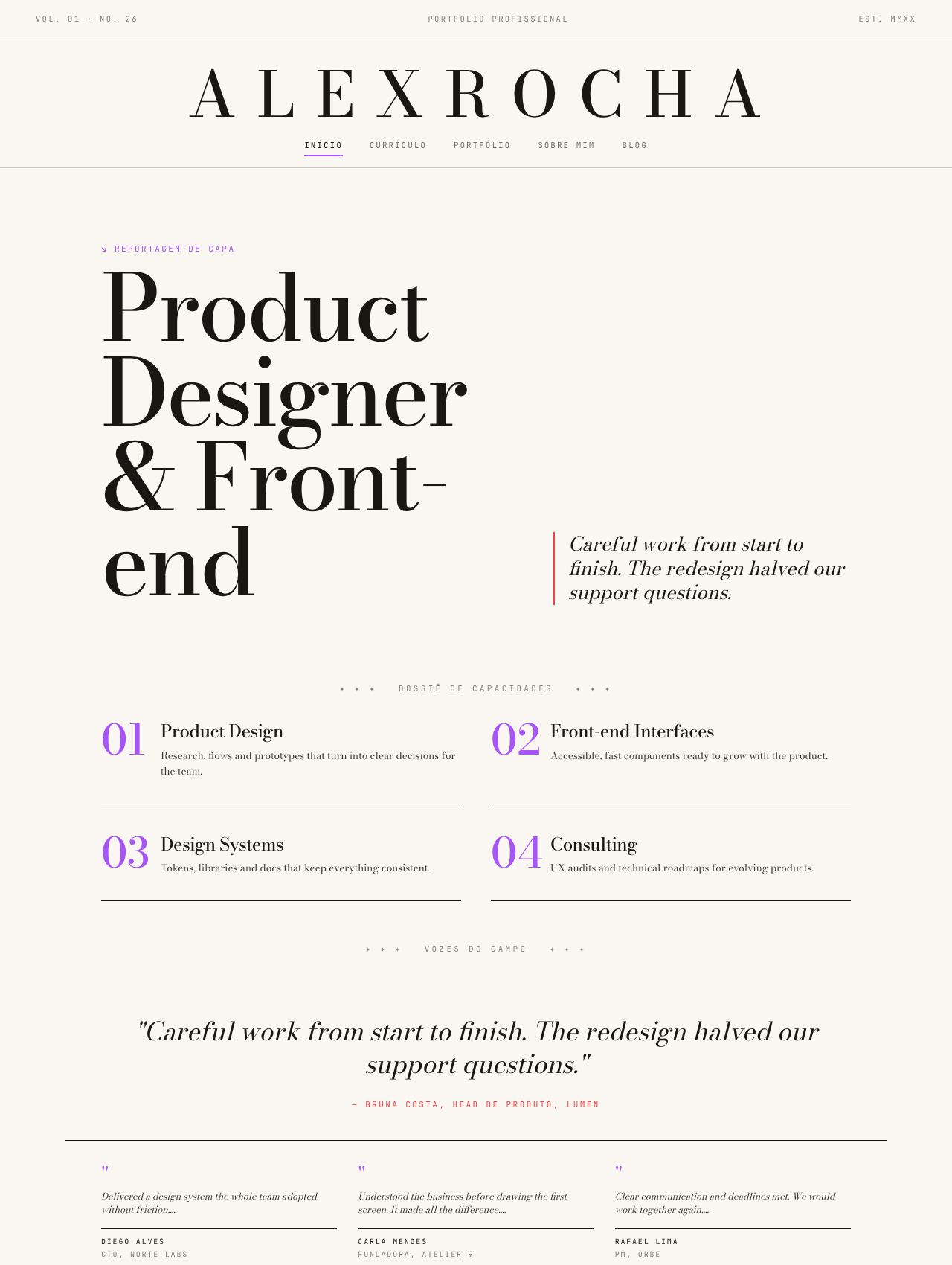 |
Magazine | A print magazine: masthead, numbered sections and a serif display face | Centered masthead |
New layouts
They use the full color scheme (11 roles).
| Layout | In one sentence | Navigation | Recommended | |
|---|---|---|---|---|
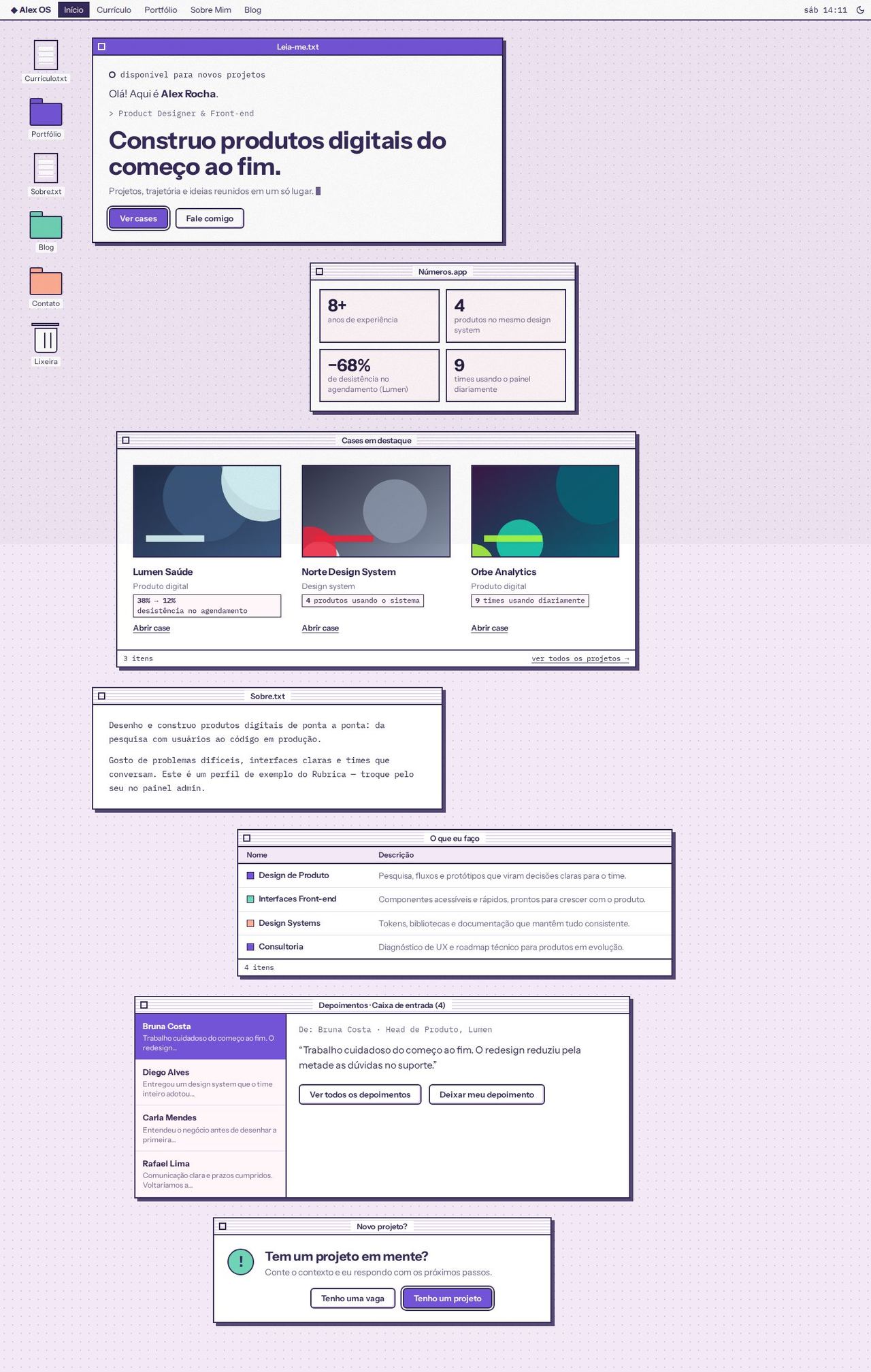 |
Desktop Retrô (retro desktop) | A 1998 operating system: each section is a window on the desktop | Menu bar at the top and desktop icons | Sorbet · light · grain |
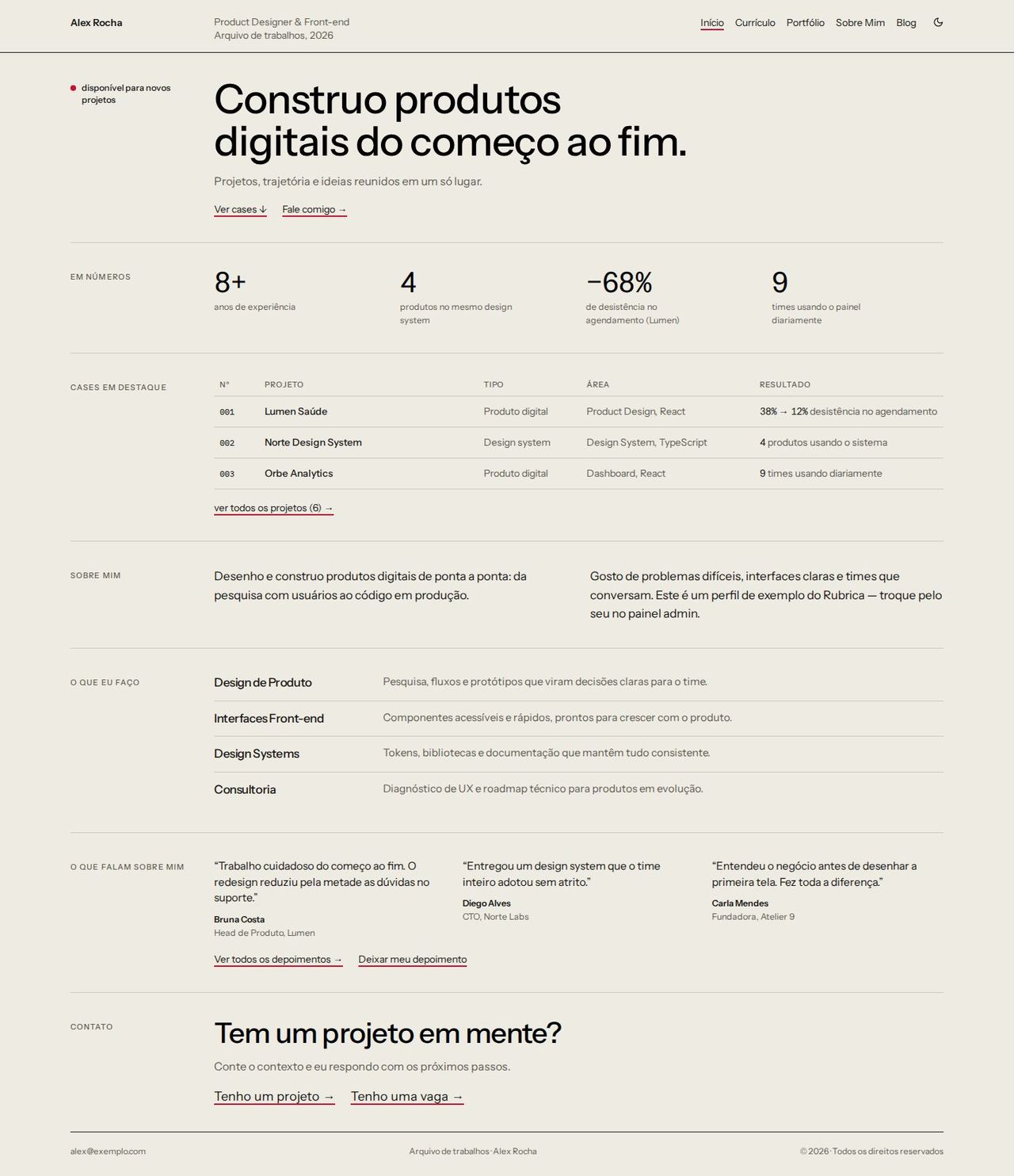 |
Índice (index) | A museum catalog: labels on the left, projects in rows and an image that appears on hover | 3-column header | Sumi · light |
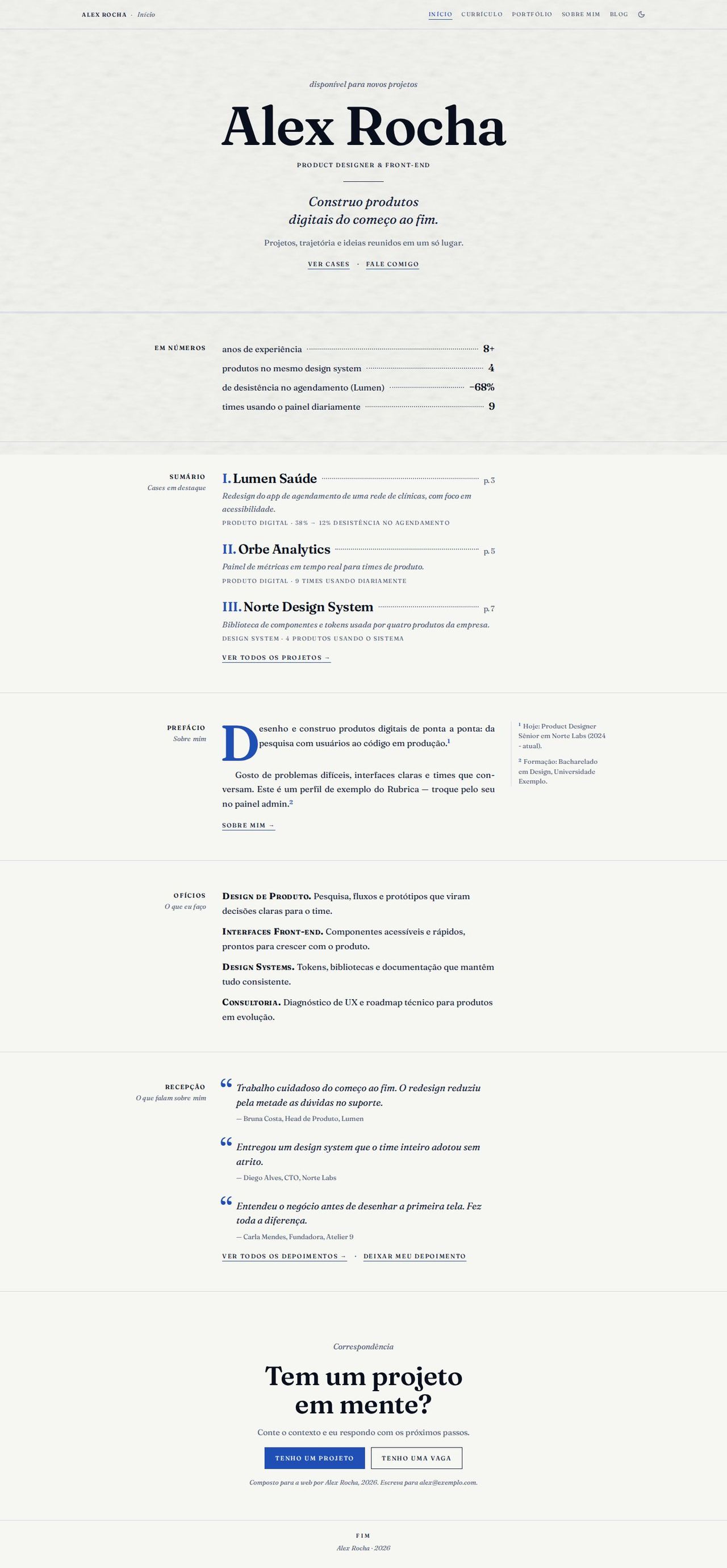 |
Monografia (monograph) | The site as a book: title page, table of contents, drop caps and margin notes | Running header in small caps | Azulejo · light · paper |
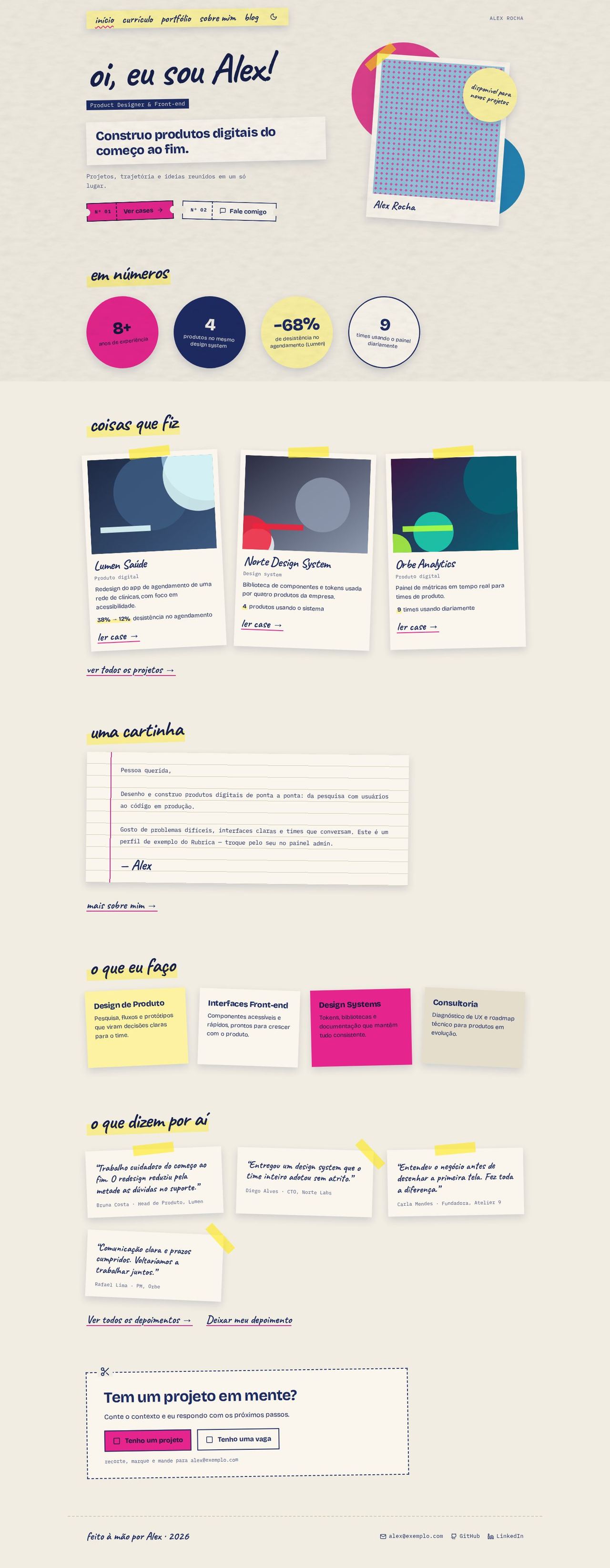 |
Zine | A handmade fanzine: polaroids, tape, sticky notes and handwriting | Strip of tape | Riso · light · paper |
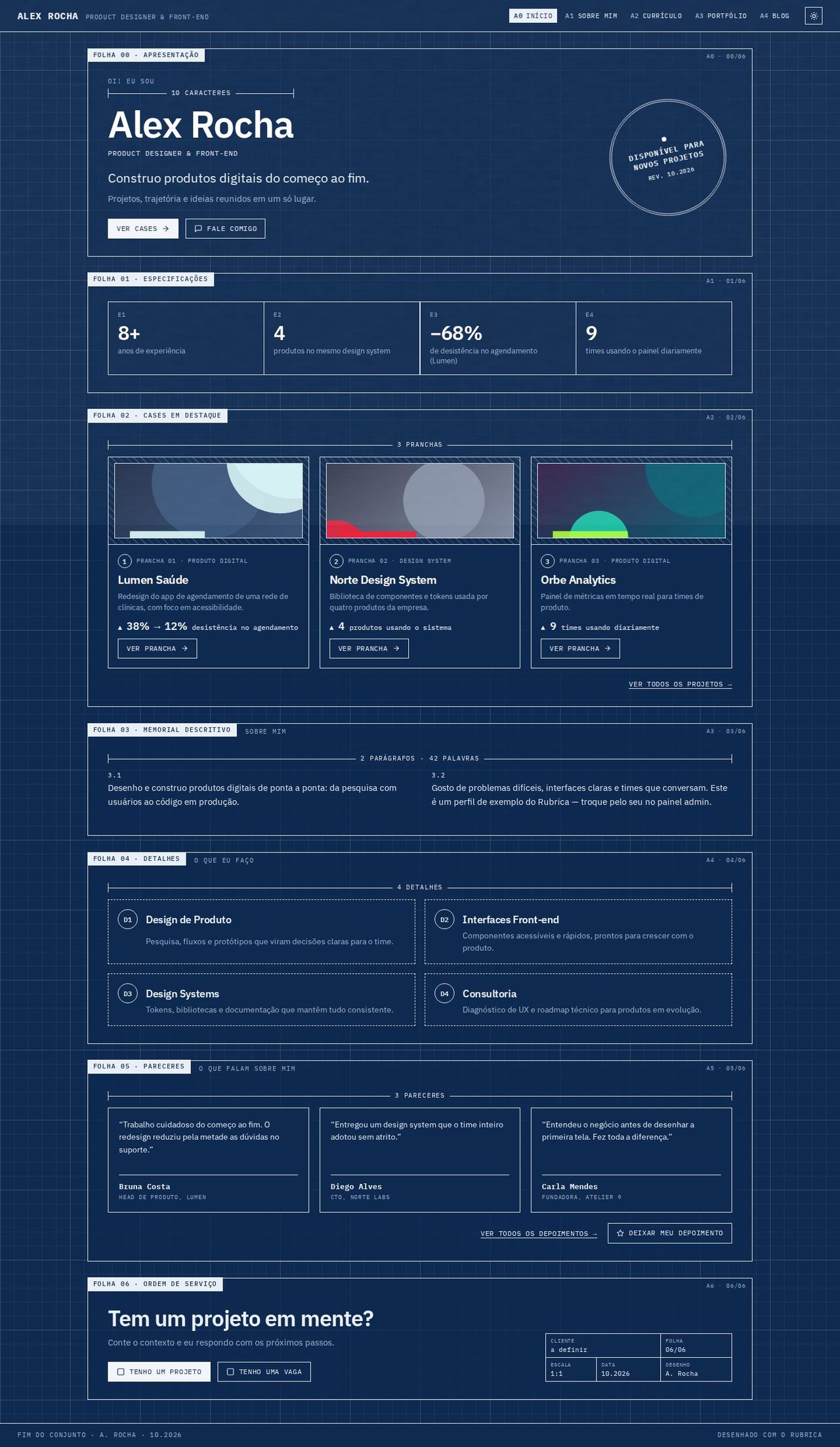 |
Blueprint | Numbered technical sheets on grid paper, with dimensions and a title block | Sheet codes at the top | Cianotipia · dark · paper |
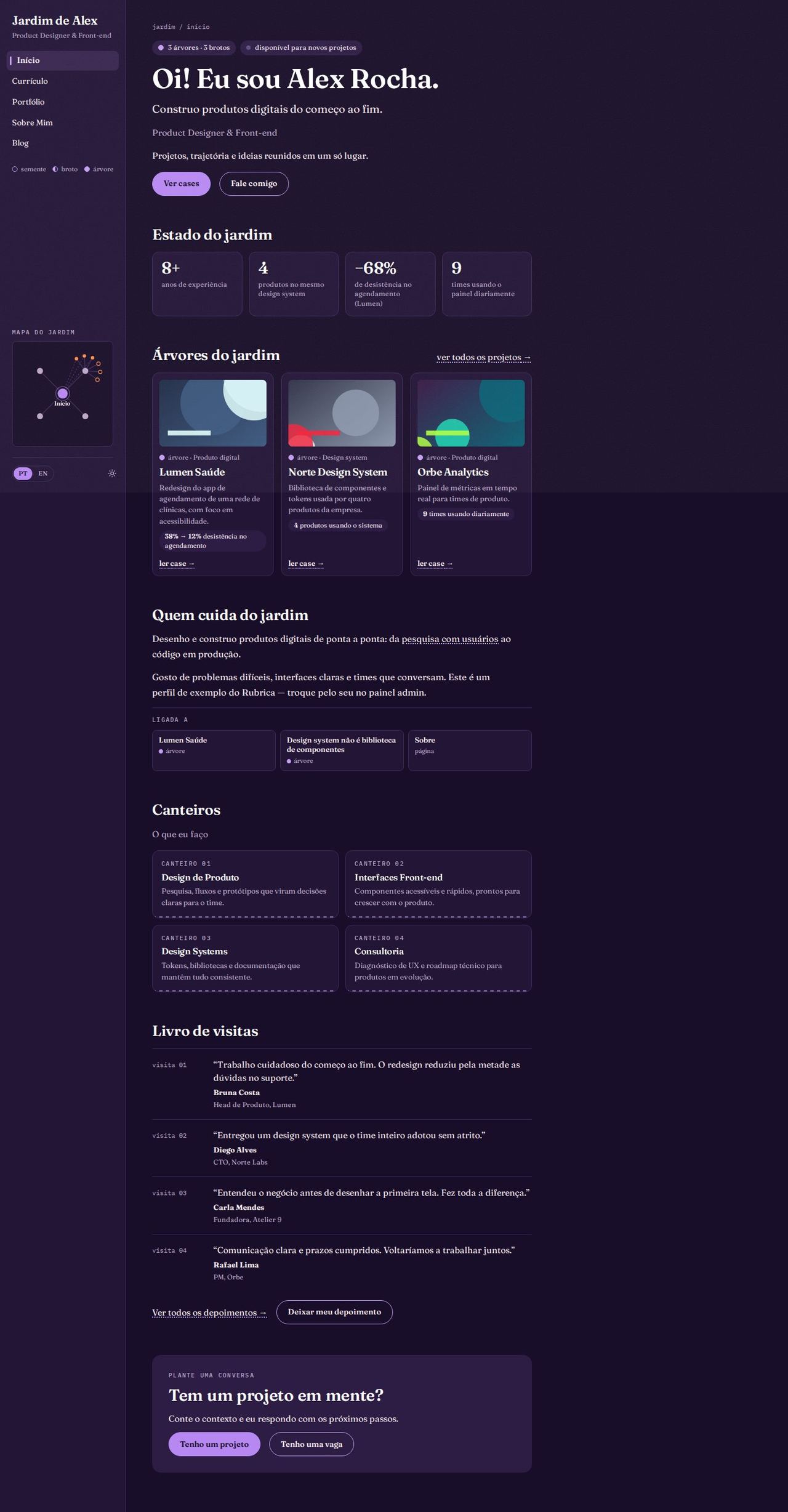 |
Jardim Digital (digital garden) | Notes with a growth stage, backlinks and a link map | Sidebar with the map | Crepúsculo · dark · grain |
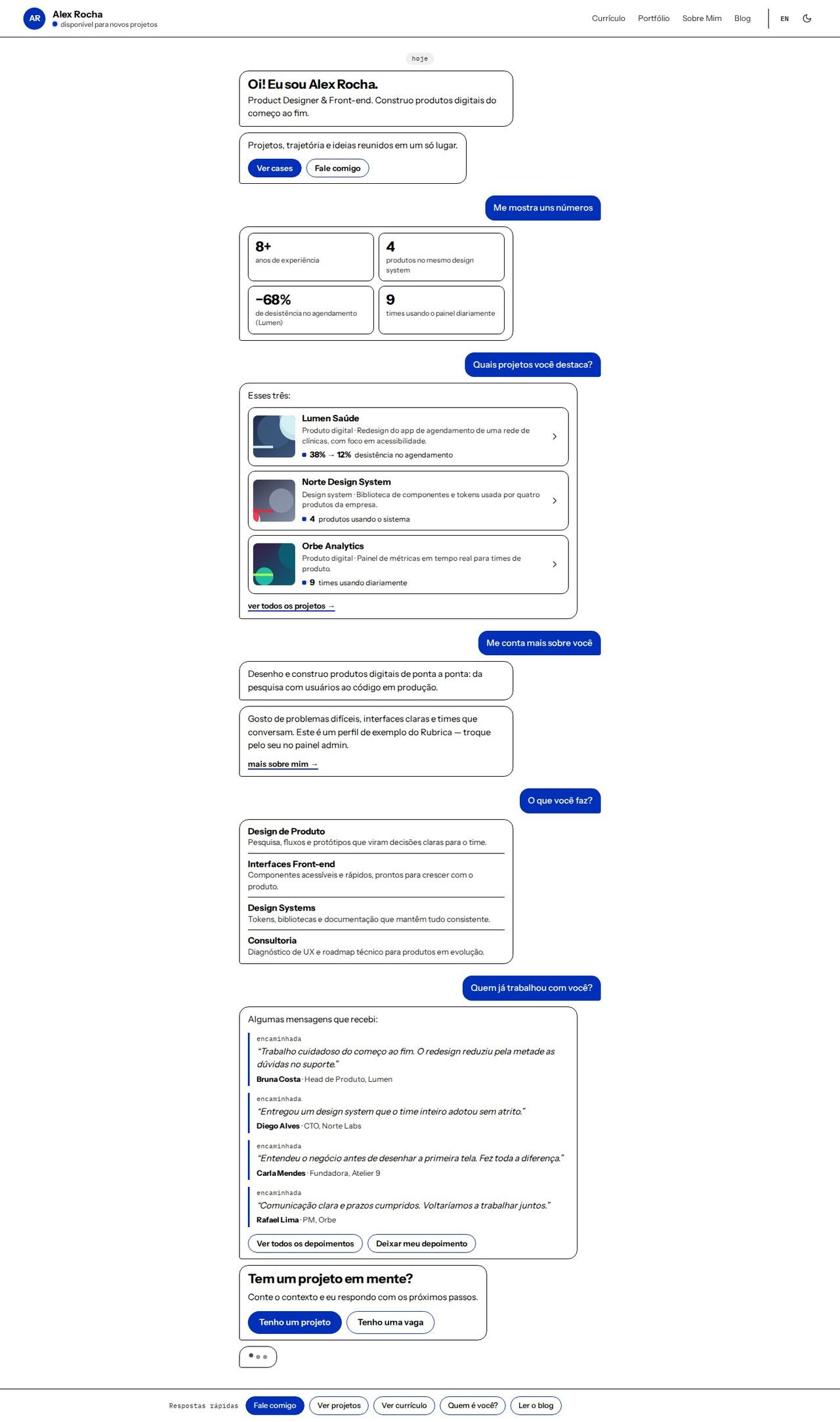 |
Conversa (conversation) | The site as a conversation: each section answers a ready-made question | Quick replies fixed at the bottom | Alto Contraste · light |
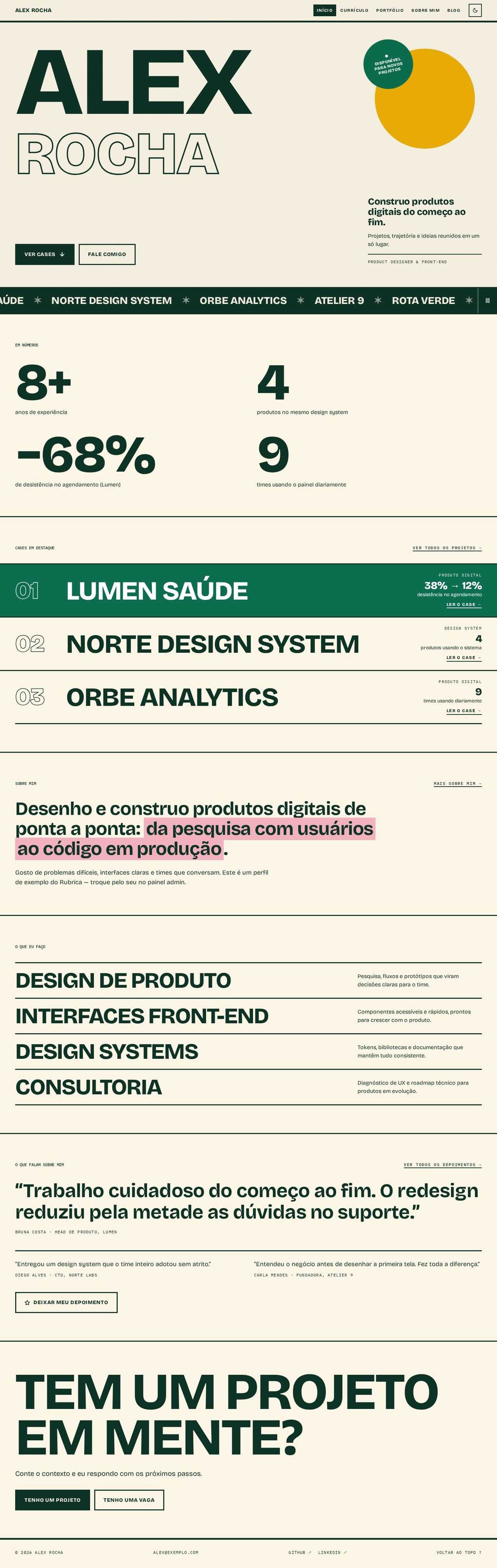 |
Pôster Cinético (kinetic poster) | Giant type from start to finish, with a scrolling strip of projects | Fixed bar at the top | Tropicália · light · grain |
Color schemes, modes and texture
See Color schemes: the 15 schemes in both modes, the 11 color roles, the 4 colors of the original layouts, the light/dark/automatic mode with its toggle, and the textures.
To create or maintain a layout, see Creating a layout.
How the CLI applies the layout
| What the template brings | Where it goes in the project |
|---|---|
templates/layouts/<layout>/*.tsx (Layout, navigation) |
src/components/ |
templates/layouts/<layout>/pages/*.tsx |
src/pages/ (replaces Home, Resume, Portfolio, About and Blog) |
Cyberpunk has no pages/: it uses the app's own pages. Pages that no layout replaces (blog post, case study, testimonials, proposals, checkout, admin) are shared by all layouts and also follow the chosen scheme, in both modes. The admin panel always stays in dark mode.
About the images
The screenshots were made by running the actual CLI for each layout and building the generated project, with the sample data in public/data/ (fictional profile "Alex Rocha"). To regenerate that data: npx tsx scripts/generate-sample-data.ts. To see any layout in any scheme: npx tsx scripts/preview-layout.ts --layout <id> --port <porta> --scheme <esquema> and node scripts/shot-layout.mjs --port <porta> (see Creating a layout).