
Documentation
Monografia
Translated from the Portuguese original. Labels from the CLI and the admin panel stay in Portuguese, as you will see them.
The site as a book: title page, table of contents, drop caps and margin notes — calm and depth.
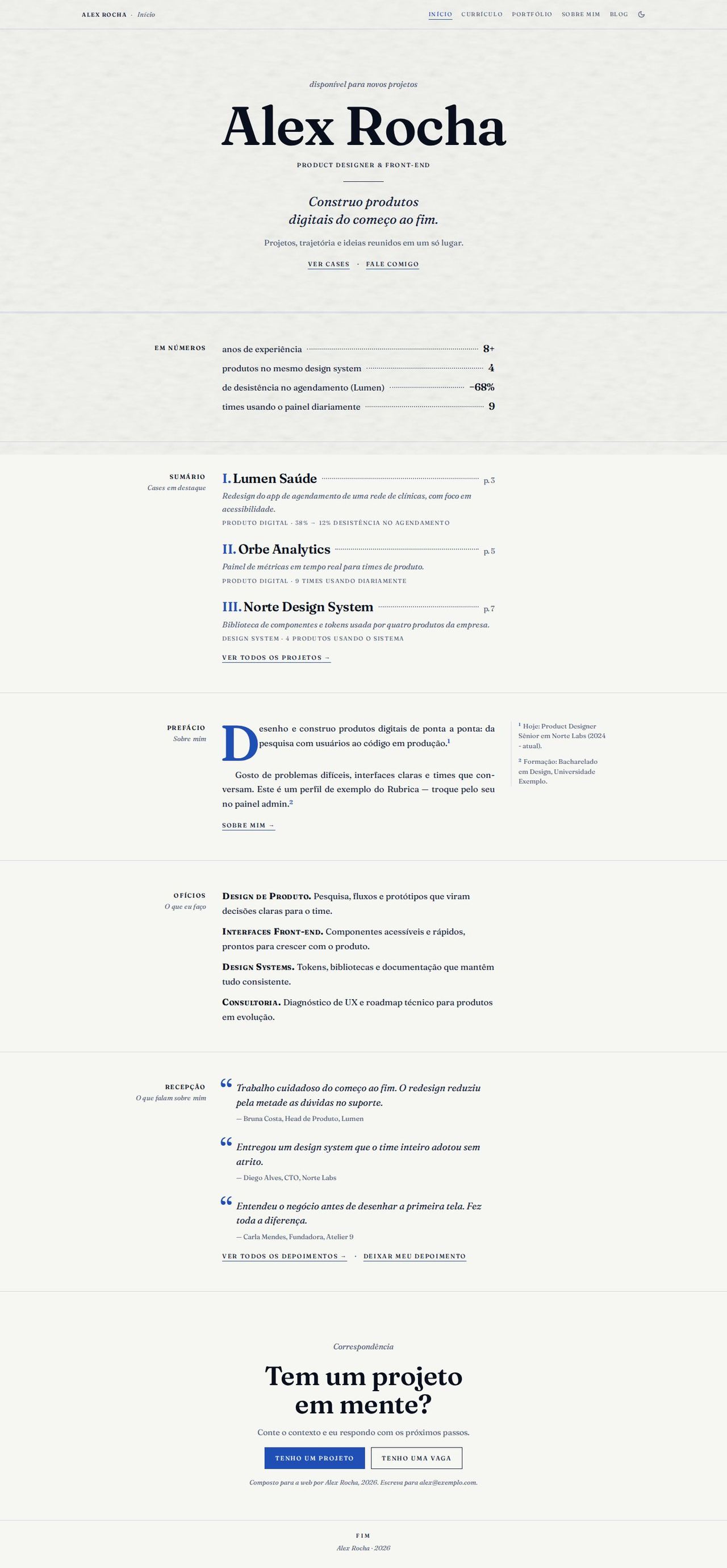
Screenshots with the Azulejo scheme, light mode, paper texture and the Fraunces font.
Concept
Each page is a book chapter. The Home page opens with a centered title page, and the rest of the site follows a 3-column grid, like a well-set book page: the section label on the left, right-aligned against the text; the reading column (up to 540px); and the margin for side notes and dates.
The typographic devices are the ones books use: small caps (small, spaced capitals) in the navigation, labels and actions; dotted leader lines linking text and number (label ……… 8+); Roman numerals in the tables of contents; a drop cap on the first paragraph of the preface; italics for subtitles, notes and quotes; and a double rule closing each title page. Buttons are links underlined in the primary color; only the final correspondence has a filled button.
The primary color marks structure (section labels, numerals, drop cap, note markers, underlines); secondary text uses --text-muted, and dividers use --line. It works with any scheme, in both modes.
- Recommended fonts: Fraunces or Source Serif 4 (main) and IBM Plex Mono (mono). Small caps, leader dots and drop caps also work with sans-serif fonts.
- Recommended appearance: Azulejo scheme, light mode, paper texture.
- Template files:
Layout.tsx,MonographRunningHead.tsx,MonographShared.tsxand the 5 pages inpages/.
Global structure
- Fixed, discreet running head: on the left, "Name · Section" (the section in italics); on the right, the navigation in small caps (the current page underlined in the primary color) and the light/dark mode button (
<ColorModeToggle />). Items from disabled plugins disappear. - On mobile, the navigation becomes a "Sumário" (Contents) button that opens, right below the header, a table of contents with Roman numerals and dotted lines. It closes when you change page or press Esc.
- Footer with folio: "fim" (end), the name and the year.
- "Pular para o conteúdo" (Skip to content) link on the first Tab, visible focus in the primary color and
langset to the current language (hyphenation follows the language). - Real italics: the CLI loads only the roman weights of the font. Since the book lives on italics,
Layout.tsxreads the main font (--font-sans) and, if it has an italic on Google Fonts, loads the italic (400 and 600) with<Helmet>. Fonts without italics (Space Grotesk, Manrope, Bricolage Grotesque) use the browser's synthesized italic. - App pages the layout doesn't draw (blog post, case study, testimonials…) get only the margin, inside the same frame.
- Mobile: below 1100px the margin moves into the reading column; below 720px the page becomes a single column, the label moves above the section and the side notes become notes in the text flow (with a lightly tinted background); the resume dates move above each entry.
Pages
Home
- Title page: availability in italics (when on), the huge name, the role in small caps, a rule, the value statement (
home.hero.headline) as an italic subtitle, the short description and two actions in small caps: "Ver cases" (See cases; scrolls down to the table of contents) and "Fale comigo" (Talk to me; opens the contact form). - "Em números" (In numbers): the highlight numbers (admin → Home → Numbers, up to 4) as dotted leader lines. It disappears when there are no numbers.
- "Sumário — Cases em destaque" (Contents — Featured cases): the first 3 projects with a case page, as chapters: Roman numeral, title, dotted line and "p. N", the summary in italics and, in small caps, the category and the case's first metric. Each title leads to
/portfolio/<slug>; at the end, "ver todos os projetos" (see all projects). - "Prefácio — Sobre mim" (Preface — About me): the "about" text with a drop cap on the first paragraph and the result numbers highlighted. The note markers (¹ ²) lead to the margin notes, taken from the resume: the current role and education. Link to the About page.
- "Ofícios — O que eu faço" (Crafts — What I do): the services as running paragraphs, the title in small caps.
- "Recepção — O que falam sobre mim" (Reception — What people say about me): up to 3 testimonials as quotes (
figure+blockquote) with large quote marks in the primary color; "ver todos os depoimentos" (see all testimonials) and "deixar meu depoimento" (leave a testimonial) depending on the plugins. - "Correspondência" (Correspondence): the final call "Tem um projeto em mente?" (Have a project in mind?) with "Tenho um projeto" (I have a project; filled button) and "Tenho uma vaga" (I have a job opening), and the colophon ("Composto para a web por …, 2026.", Set for the web by …) with the email, when it is visible.
Resume
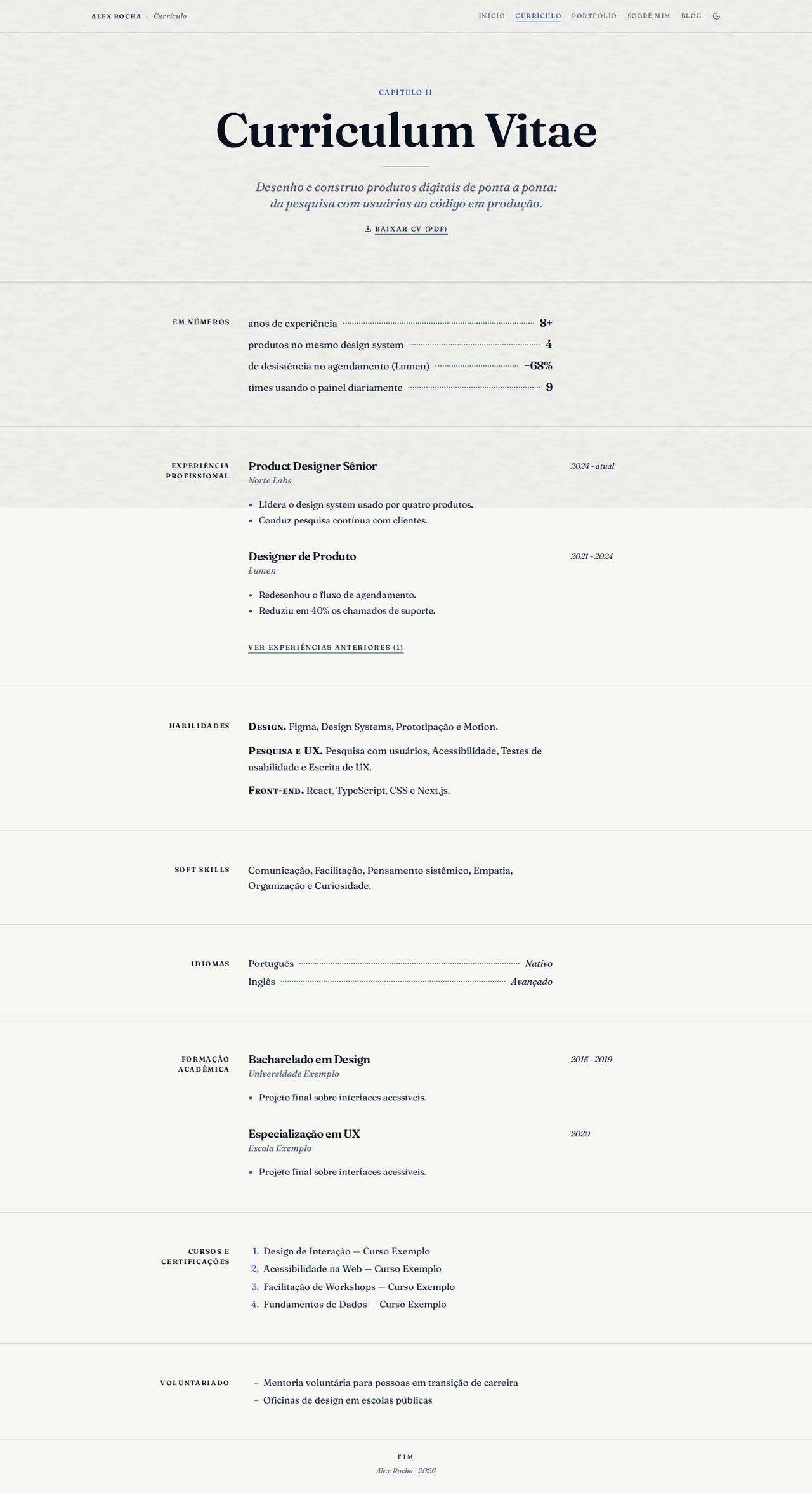
- Opening of "Capítulo II — Curriculum Vitae" (Chapter II), with the summary (first paragraph of "about") as a subtitle and "Baixar CV (PDF)" (Download CV) as a link in small caps.
- "Em números" with the same numbers as Home.
- Professional experience as book entries: role, company in italics and the text, with the dates in the margin. Older ones sit behind "ver experiências anteriores" (see earlier experience).
- Skills by group ("Grupo" field in the admin) in running paragraphs: "Design. Figma, Design Systems e Motion." No numeric levels.
- Soft skills in one sentence; languages in dotted lines (language ……… level); education with the dates in the margin; numbered courses and certifications; volunteering. Each block disappears when empty.
Portfolio
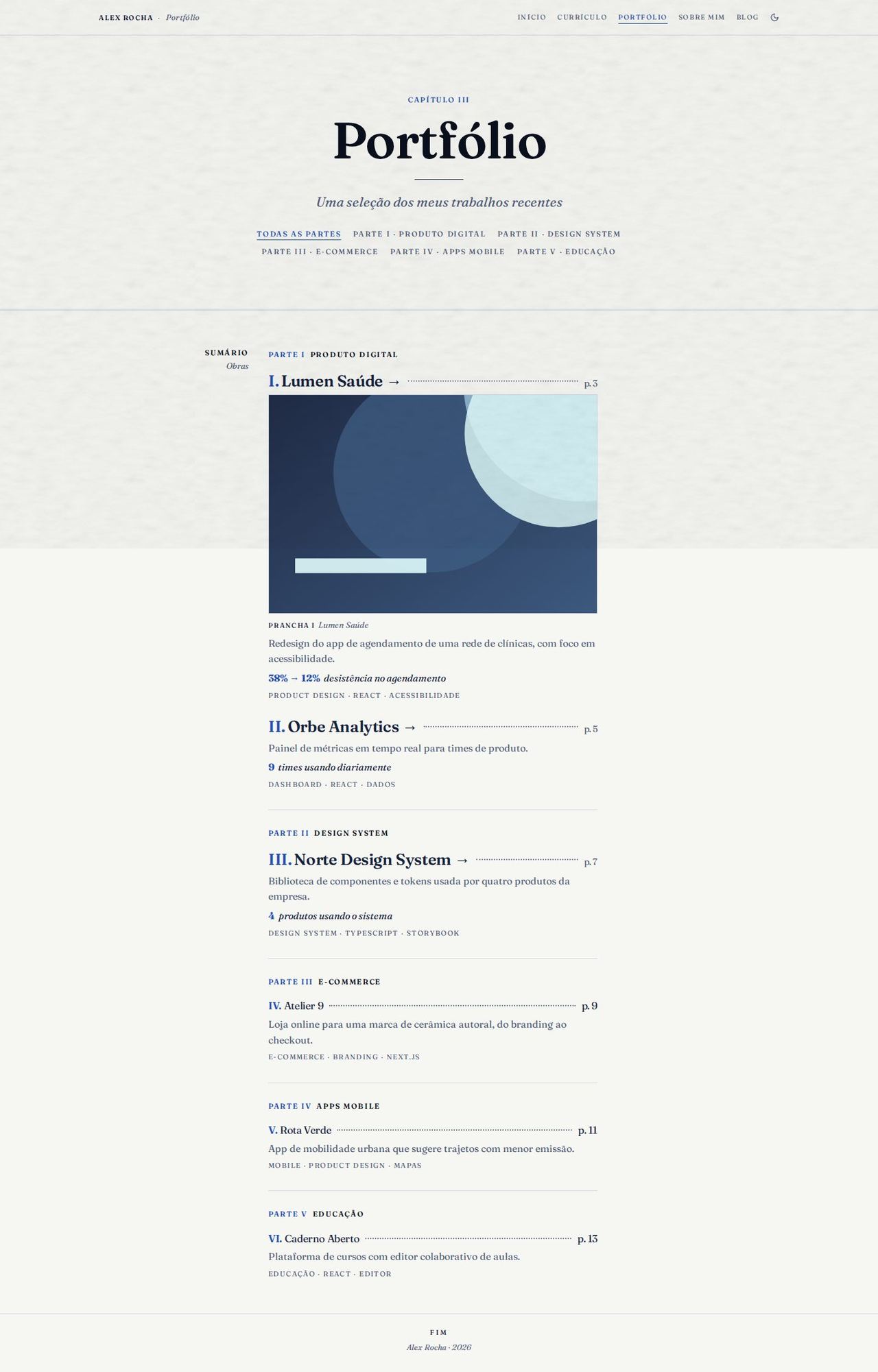
- Opening of "Capítulo III" (Chapter III) with the Parts: each category becomes "Parte I · Produto digital", "Parte II · …" (Part I, Part II), and together they work as a filter (with "Todas as partes", All parts). Without categories, the filter disappears.
- Table of contents of all works, split into parts: Roman numeral, title, dotted line and "p. N". Numbering and pages follow the book order (the parts, in the order they appear, and uncategorized projects at the end), the same as on Home.
- The first ones stand out: the first 3 works in a larger size, and the first gets a plate (the image with a caption).
- Each work shows the description, the case's first metric in italics (the number in the primary color) and the tags in small caps. Only one action: the title leads to the case (→) when there is one, otherwise to the project link (↗, in a new tab).
About
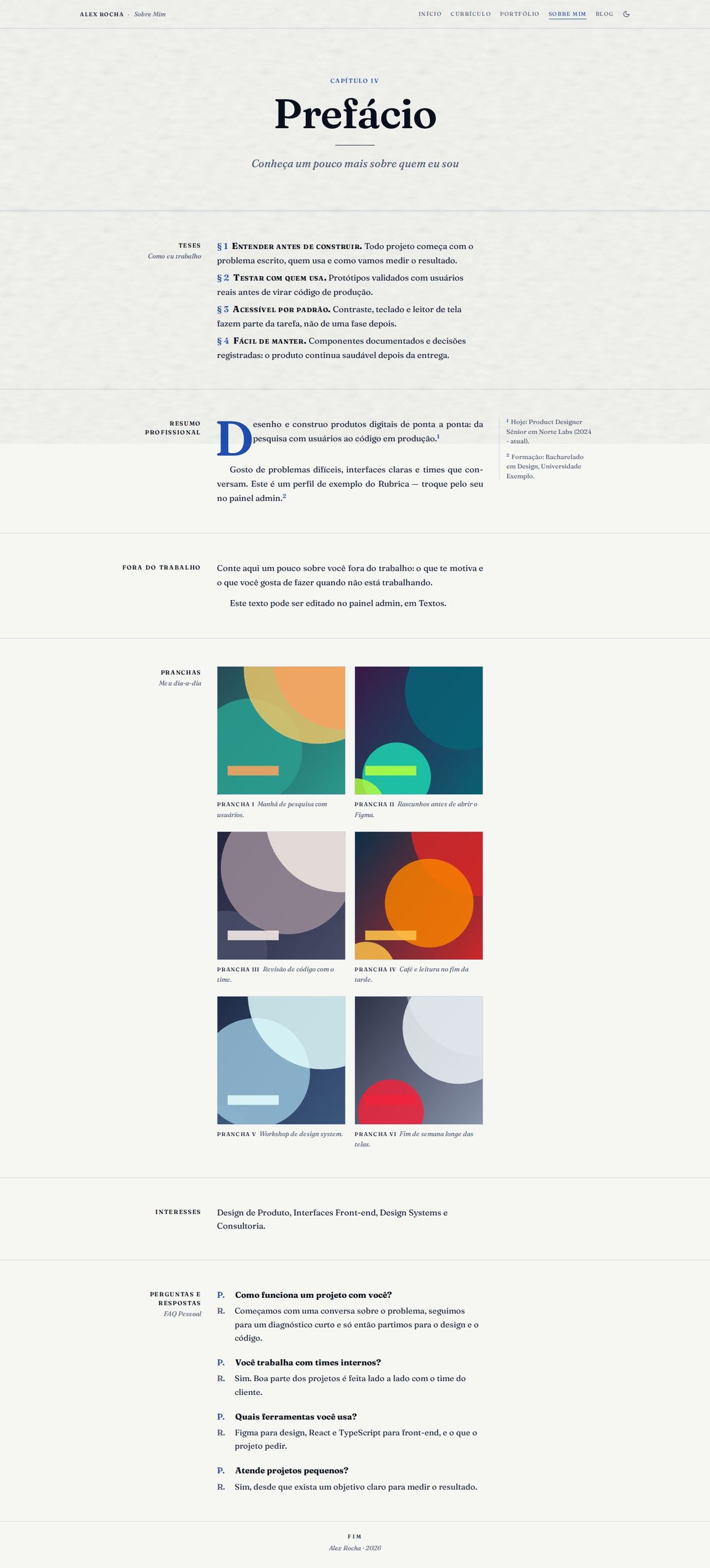
- Opening of "Capítulo IV — Prefácio" (Chapter IV — Preface).
- "Teses — Como eu trabalho" (Theses — How I work) opens the page: the work principles (admin → Home → Principles) numbered as § 1, § 2…, the title in small caps.
- Professional summary with a drop cap, highlighted numbers and the same margin notes as Home.
- "Fora do trabalho" (Outside work): the personal text.
- "Pranchas — Meu dia-a-dia" (Plates — My day to day): the day-to-day photos in two columns, each with a "Prancha I" (Plate I) caption + description and tags.
- "Interesses" (Interests): the Home services in one sentence.
- "Perguntas e respostas — FAQ Pessoal" (Questions and answers — Personal FAQ) as a definition list: "P." (Q.) in the primary color and "R." (A.) in gray.
Blog
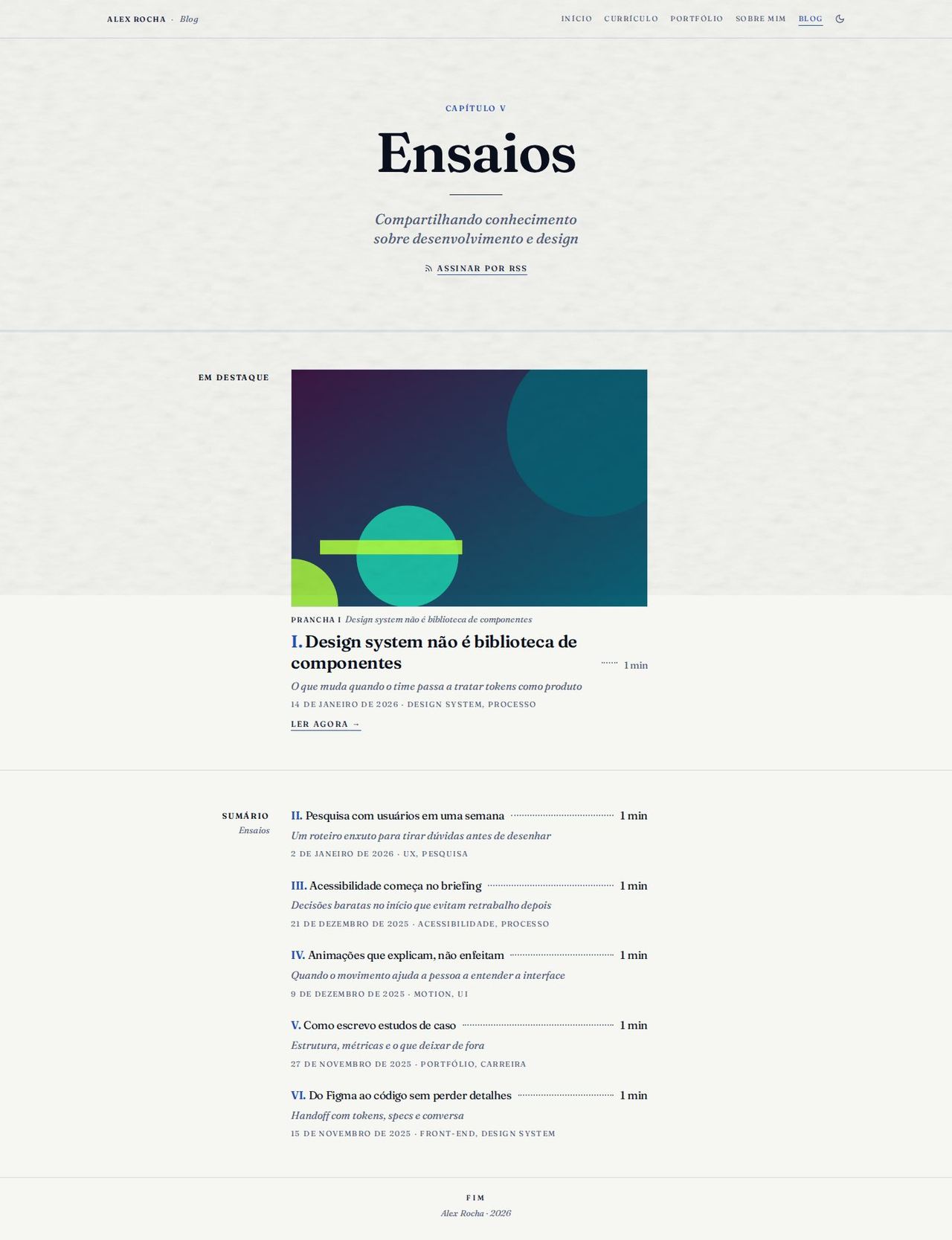
- Opening of "Capítulo V — Ensaios" (Chapter V — Essays) with "Assinar por RSS" (Subscribe via RSS) (
/rss.xml). - "Em destaque" (Featured): the post marked as featured (or the most recent one) with the image as a plate, title, reading time, subtitle in italics, date written out, tags and "Ler agora" (Read now).
- "Sumário — Ensaios" (Contents — Essays): the other posts with Roman numeral, title, dotted line and reading time, the subtitle in italics and, in small caps, the date and the tags. Each title opens
/blog/<slug>. - With no posts, the chapter shows "Nenhum artigo publicado ainda." (No articles published yet.)
Known limitations
- The page numbers ("p. 3") are decorative: they come from the length of each project's text, not from real pagination. Projects have no year field, so the Portfolio table of contents shows the page instead of the year.
- The preface margin notes come from the resume (current role and education); there is no field for free-form notes yet.
- To keep the table of contents in page order, Home shows the featured cases in book order (grouped by category), which can differ from the admin order.
- The blog has no search or tag filter on this page.
- The italic loaded by
Layout.tsxdepends on a fixed list of CLI fonts; a new font with italics has to be added to that list.