
Documentation
Cyberpunk
Translated from the Portuguese original. Labels from the CLI and the admin panel stay in Portuguese, as you will see them.
Side sidebar with a profile photo — developer, designer, freelancer.
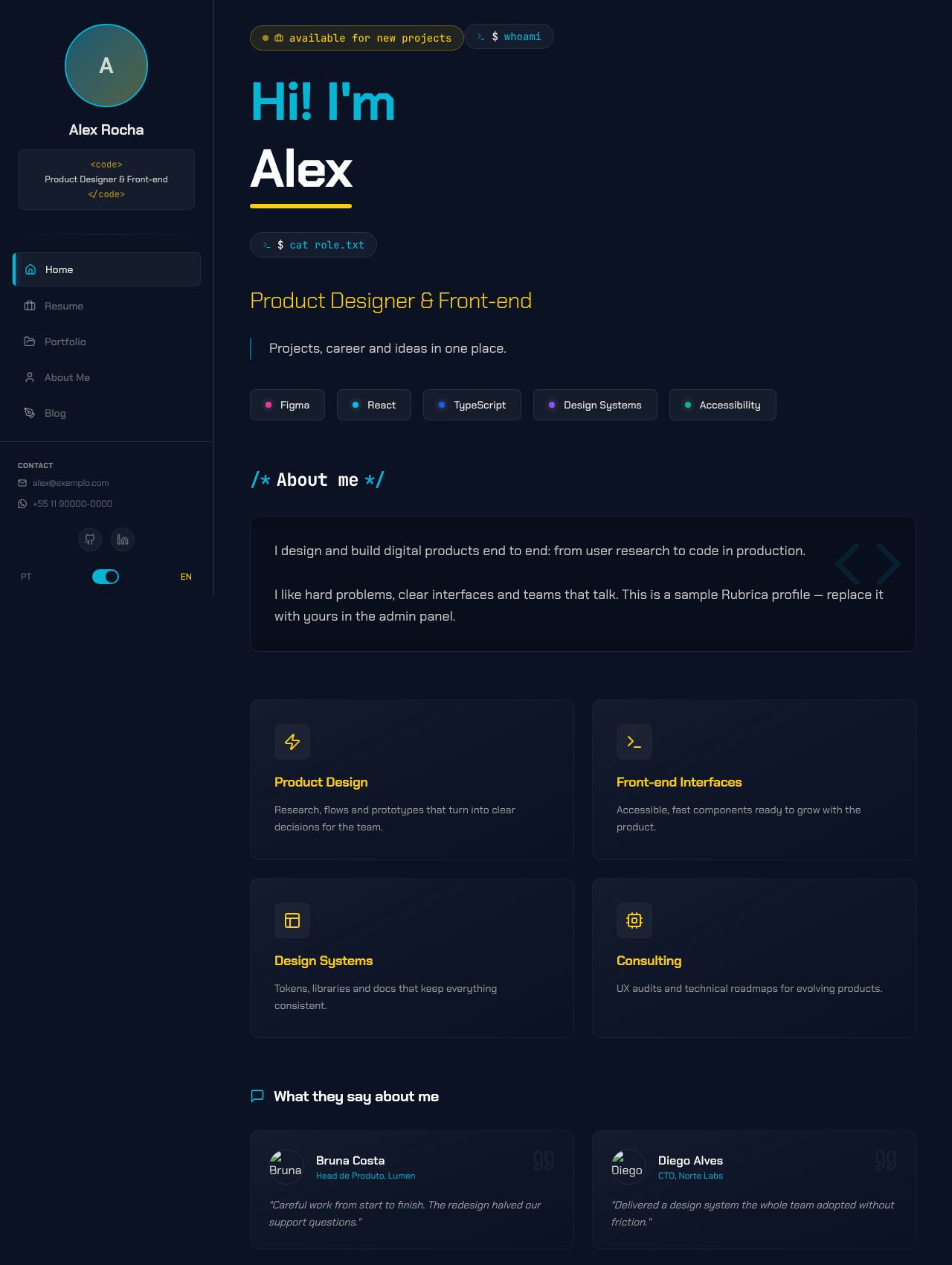
Screenshots use the Midnight Blue palette. See the layout in every palette in Color schemes.
Concept
This is Rubrica's original look: a dark portfolio with a neon terminal aesthetic. A fixed sidebar on the left holds the identity (photo, name, role) and the navigation, while the content scrolls on the right. Code language shows up in the details: the role inside <code>…</code>, prompts like $ cat role.txt, and section titles in the form /* Sobre mim */.
The primary marks navigation and structure: the glowing active item, icons, section titles, active filters. The accent marks content: the role, the name underline, service titles, the "Baixar CV" (Download CV) button.
- Recommended fonts: Chakra Petch (main) and JetBrains Mono (mono).
- Template files:
Layout.tsxandSidebar.tsx. This is the only layout without apages/folder: it uses the app's own pages (src/pages/).
Global structure
The sidebar (w-72, fixed) has, from top to bottom:
- A round profile photo with a primary border and a primary → accent gradient (the name's initial when there is no photo)
- Name and role in a
<code>box - Navigation with icons — Resume, Portfolio, About and Blog disappear when the matching plugin is off
- Contact (email and WhatsApp, each only if marked as visible) and social links that have a URL
- The light/dark mode button ("Modo escuro"/"Modo claro", right above the language switch; it only shows when the toggle is on) and the PT/EN language switch
- The contact assistant button (
contact-wizardplugin) and "Baixar CV" (Download CV), which generates a PDF with the resume and projects
Below lg, the sidebar becomes a fixed header with a mini avatar, the light/dark mode icon next to the menu button, and a side menu with the same content.
Pages
Home
- Staggered entrance: each block fades in and rises slightly.
- A one-screen hero:
- the "disponível para novos projetos" (available for new projects) badge;
$ whoami → nome;- the headline (
home.hero.headline, editable in Textos), the role and the intro sentence; - two buttons: Ver cases (See cases) and Fale comigo (Talk to me), which opens the contact assistant.
- Numbers strip right below the hero: up to 4 results editable in the admin, in the Home → Números tab (key
home_metrics). With no numbers, the strip does not show. - Featured cases: the first 3 projects with a case study, each with the case's first metric and the
$ cat case.mdlink. - "Sobre mim" (About me) in paragraphs, with the numbers highlighted, and services in a 2-column grid.
- Testimonials with photos. With the testimonial plugins on: a "Ver todos" (See all) link and a "Deixar meu depoimento" (Leave a testimonial) button.
- A closing section with two paths: Tenho um projeto (I have a project) and Tenho uma vaga (I have a job opening), each opening the assistant in the right flow.
Resume
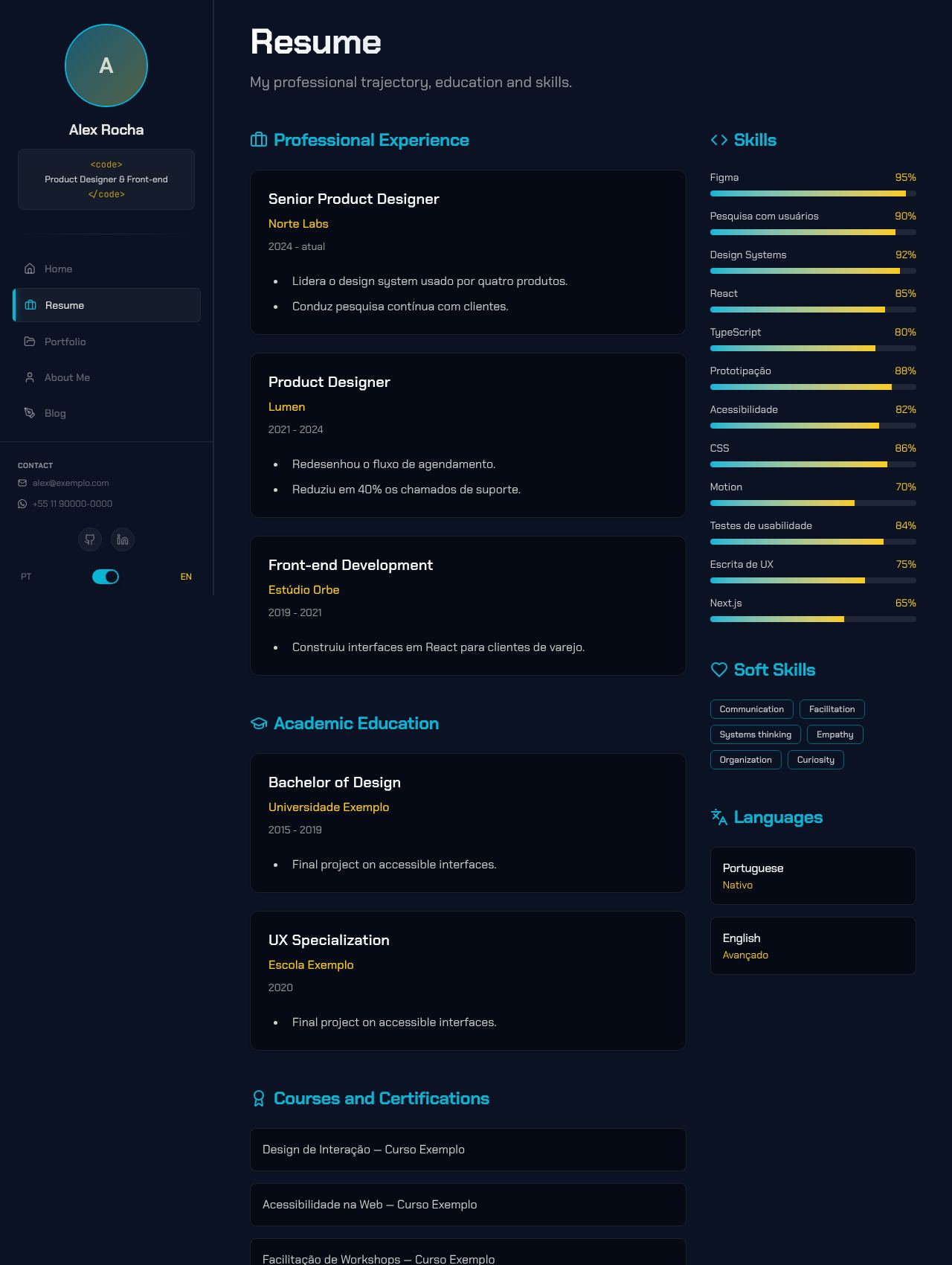
- Summary at the top: the first paragraph of "Sobre", the numbers strip and the Baixar CV (PDF) button.
- A 3-column grid: Experience, Education, Courses and Volunteering in the main column (2/3); Skills, Soft skills and Languages on the side.
- The 2 most recent experiences are open; older ones sit behind "ver experiências anteriores" (see earlier experience).
- Skills by category: each skill's Grupo (Group) field in the admin sets the category. Skills without a group go to "Stack". There are no percentages or level bars.
- Experience and education descriptions in HTML (sanitized).
Portfolio
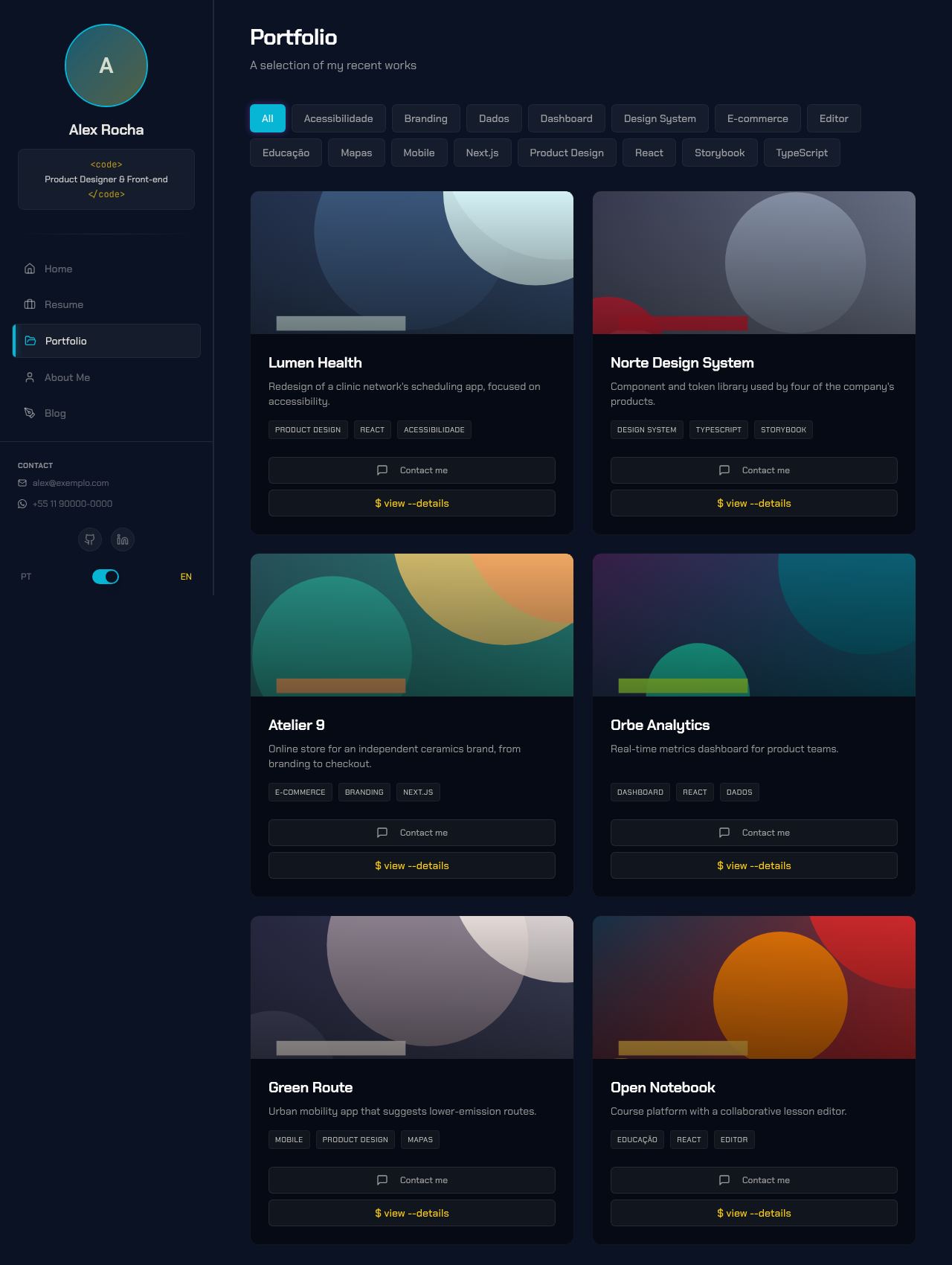
- Category filter ("Todos" (All) + the categories in project order). The category is a project field in the admin. With no categories, the filter row does not show.
- Cards with image zoom on hover, up to 3 tags (+N) and the case's first metric.
- One action per card:
$ cat case.mdwhen the project has a case study, or the "Detalhes" (Details) dialog when it does not. - The "Detalhes" dialog has an image carousel, all tags, the description and demo/code links; the enlarged image navigates with ← →.
Case study
- Sections in order: Meu papel (My role), Antes (Before), Problem, Solution, Decisões e trade-offs (Decisions and trade-offs), Results and numbers, Aprendizados (Learnings), screenshots and testimonial. The sections in bold are optional and only show when filled in.
- Closes with "Precisa de algo parecido?" (Need something similar?), which opens the contact assistant, and a link to the next case.
About
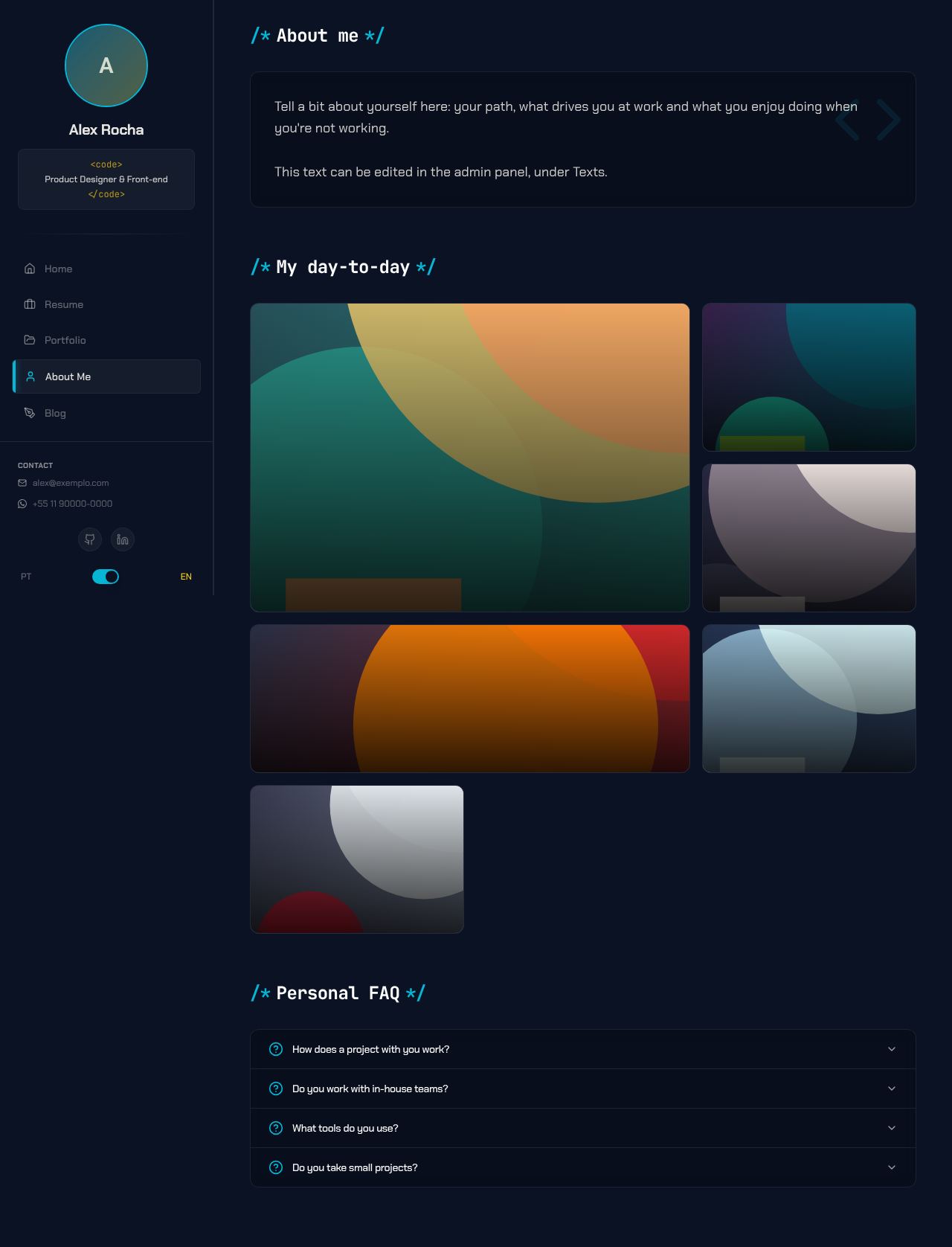
- Professional summary first (the Home "Sobre" text, in paragraphs).
- How I work: the work principles, editable in the admin under Home → Princípios. With no principles, the section does not show.
- Outside work: the personal text, editable in Textos (key
about.aboutMe.text). - "Meu dia-a-dia" (My day-to-day) in a bento grid: each photo picks its size (1x1, 1x2, 2x1, 2x2) and shows its description on hover; on mobile, it opens on tap.
- FAQ in an accordion.
Blog
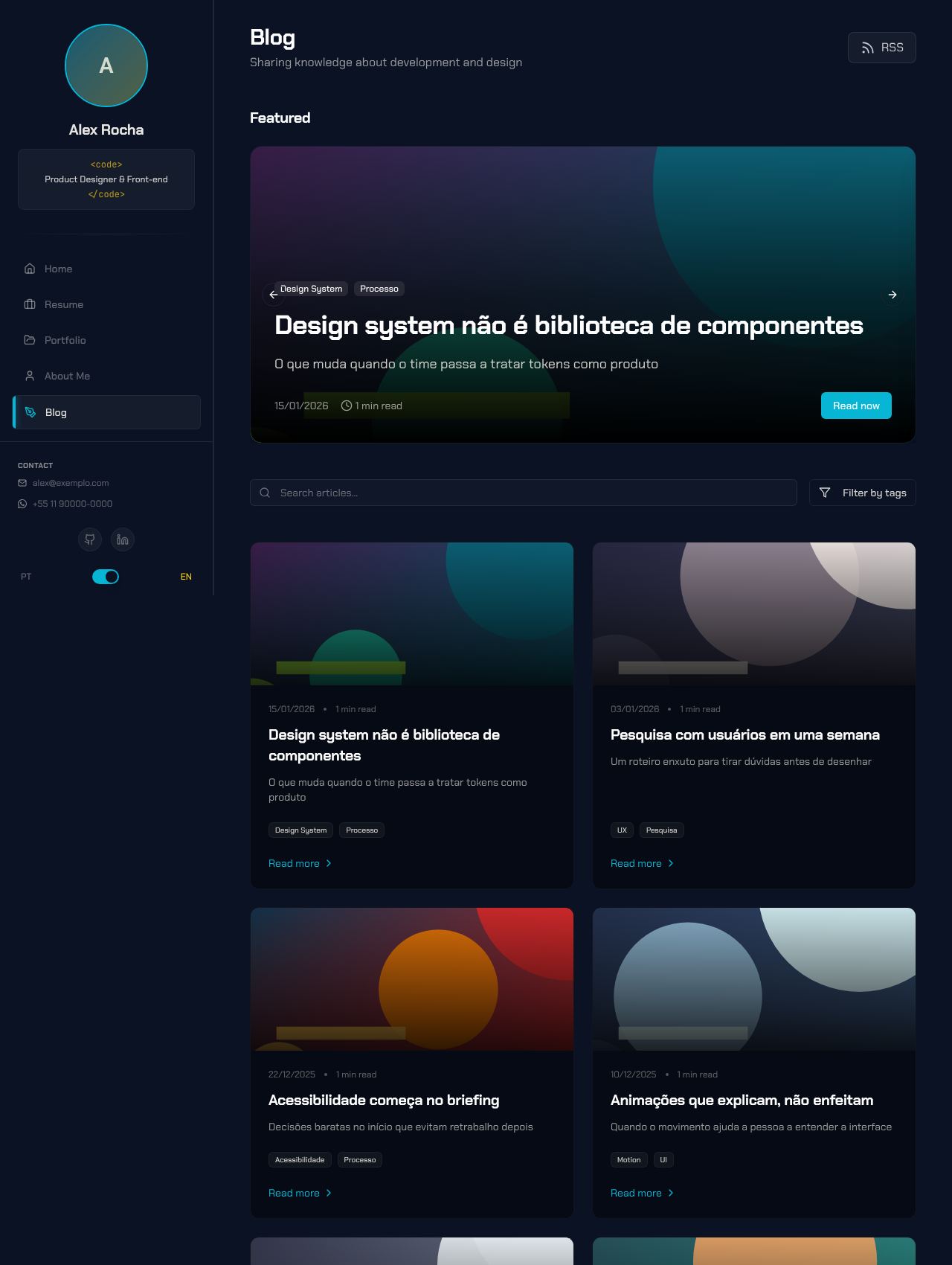
- Featured posts at the top: one large card when there is one featured post, a looping carousel when there are several (tags, date and reading time).
- Search by title, subtitle or tags and a multi-tag filter with a counter.
- RSS feed link in the header.
- Posts without an image get a default cover in the theme colors, with the first tag.
- At the end of each post: an author block with a contact button and the related case (the first project with a case that shares a tag with the post).
Extras
Works in both modes with any scheme: text on the primary uses the scheme's "on primary" color, and the gradients over images (blog, portfolio, day-to-day) use the page background instead of black.
Terminal:
`or~opens a terminal with navigation commands (help,projects,blog,open <slug>,whoami…), history and autocomplete. It is global, so it works in any layout, but the "Press ~ for terminal" hint only shows in the Cyberpunk sidebar.It is the layout with the most interactions (filters, search, carousels, dialogs) and the only one with a dedicated mobile version of every page.