Documentation
Color schemes
Translated from the Portuguese original. Labels from the CLI and the admin panel stay in Portuguese, as you will see them.
Rubrica has 15 color schemes. Each scheme has a light mode and a dark mode, and each mode defines 11 color roles. Layouts have no colors of their own: everything comes from the scheme, so any layout works with any scheme, in both modes.
The roles
| Variable | Role |
|---|---|
--bg ● |
page background |
--surface |
cards, panels, bars |
--subtle |
subtle backgrounds, bands, hover |
--text ● |
main text |
--text-muted |
secondary text, captions |
--line |
borders and dividers |
--primary ● |
identity: buttons, links, highlight blocks |
--on-primary |
text on the primary color |
--accent ● |
second brand color |
--on-accent |
text on the accent color |
--accent-2 |
third color |
There is also --text-strong, derived from --text, for headings.
● The 4 colors of the original layouts. Cyberpunk, Brutalism Terminal, Swiss Grid, Bento and Magazine use only --bg, --text, --primary and --accent: that is the 4-color contract they were built with. The new layouts (Desktop Retrô, Índice, Monografia, Zine, Blueprint, Jardim Digital, Conversa and Pôster Cinético) use the full scheme.
The scheme lives in src/index.css, between the markers /* rubrica:esquema:inicio */ and /* rubrica:esquema:fim */: light mode in :root and dark mode in .dark. The single source of the schemes is cli/src/themes/schemes.ts.
Rules for anyone creating or editing a layout
- Original layouts: only
var(--bg),var(--text),var(--primary),var(--accent)and mixes of them (color-mix()). - New layouts: only the scheme variables, never literal colors (hex,
rgb(),hsl(),text-white,bg-gray-100…). - No layout assumes a light or dark background: text on the primary color uses
--on-primary, text on the accent uses--on-accent. - The test
tests/app/colorContract.test.tschecks these rules. See also Creating a layout.
Light, dark or automatic mode
The CLI asks for the site's default mode:
- "Claro" (light) or "Escuro" (dark): the site always opens in that mode.
- "Automático" (automatic): follows the visitor's system mode.
It also asks whether visitors can toggle the mode. With the toggle on, each layout shows a sun/moon button in the navigation, and the choice is stored in the visitor's browser. All of this is saved as attributes on <html> in index.html (data-color-mode, data-color-toggle). A short script in index.html itself applies the mode before the page appears, so it doesn't flash.
The admin panel always stays in dark mode, with no texture.
Texture
A layer over the whole page that doesn't receive clicks, set up in the same step:
| Texture | Feel |
|---|---|
| "Nenhuma" (none) | smooth surfaces |
| "Grão de filme" (film grain) | fine, analog noise |
| "Papel" (paper) | paper fibers, editorial |
| Scanlines | CRT monitor lines |
It lives in the data-texture attribute on <html>; the CSS is in src/index.css. People who asked their system for less transparency (prefers-reduced-transparency) don't see the texture.
How to choose or change
- When creating the project:
npx create-rubricaasks for the scheme (with the layout's recommendation marked), the mode, the toggle and the texture. - Later, with the CLI:
rubrica config→ "Aparência" (appearance) changes any of these. - In the admin panel: in "Site & Aparência" (site & appearance,
/admin/site-config), the 4 main colors (background, text, primary and accent) of each mode can be changed without a new deploy, with a WCAG contrast indicator. The fields start with the scheme's colors and only what differs is saved; "Usar as cores do esquema" (use the scheme colors) undoes the customization. When the background or the text of a mode changes, that mode's supporting colors (--surface,--subtle,--line,--text-muted) are calculated from them, and the text on the primary and accent colors is chosen by contrast. Colors saved before per-mode colors existed apply to both modes until the next time the appearance is saved. - By hand: edit the
:rootand.darkblocks between the markers insrc/index.css(the nextrubrica config→ "Aparência" overwrites them).
The schemes
Neon — neon
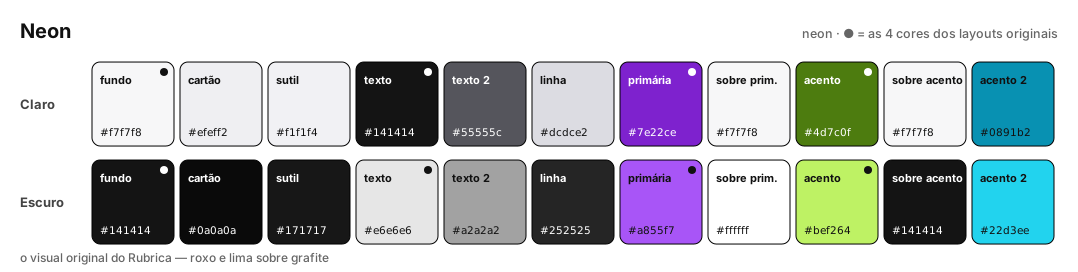
Rubrica's original look: neon purple and lime green on graphite. It is the scheme in the repository's src/index.css.
Editorial Cream — editorial-cream
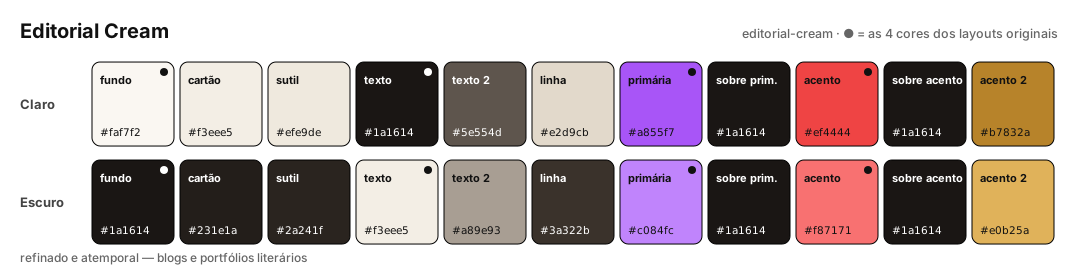
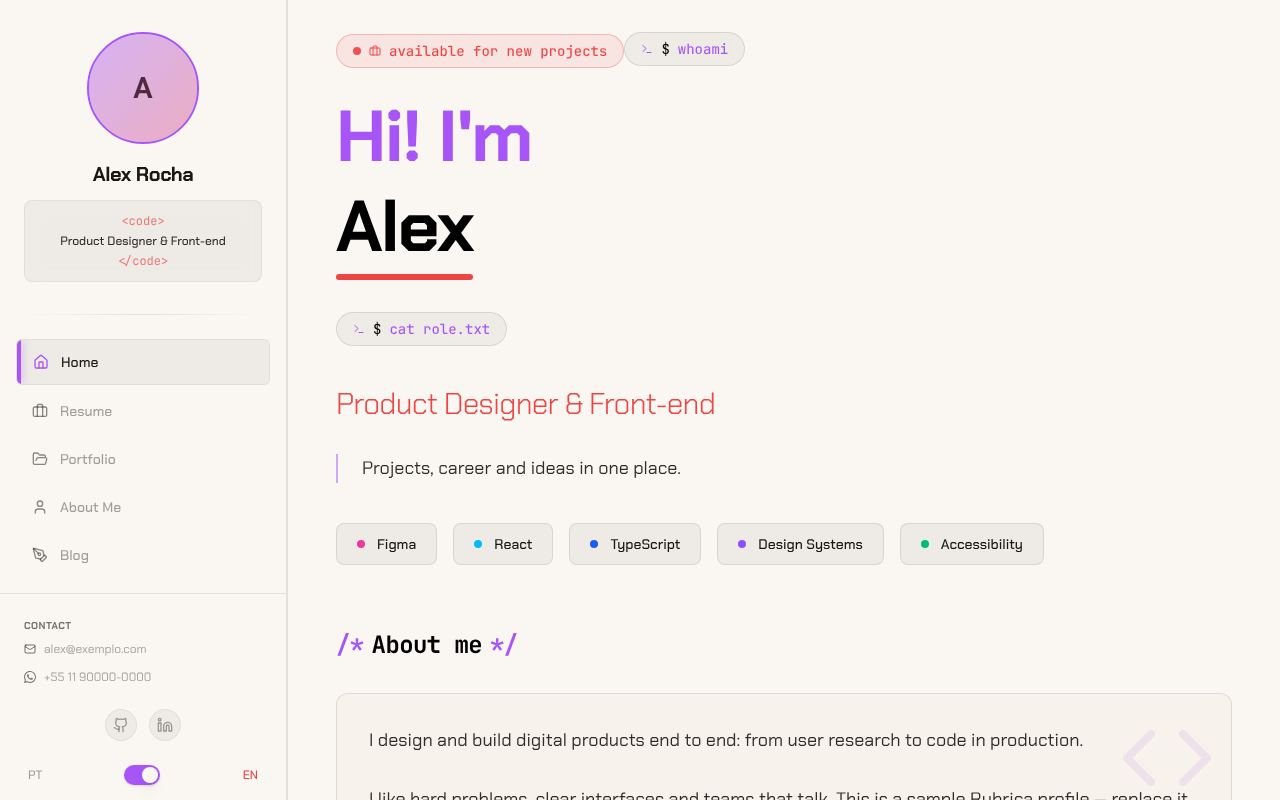
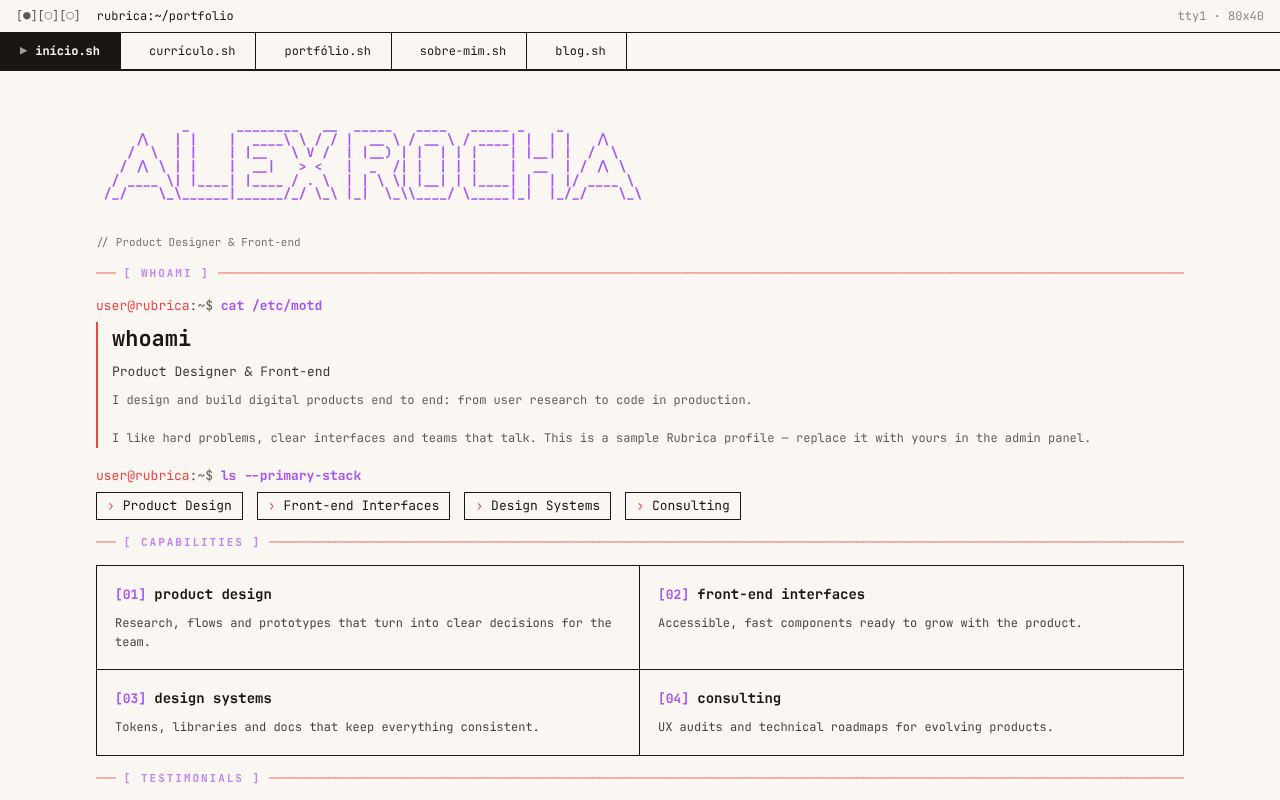
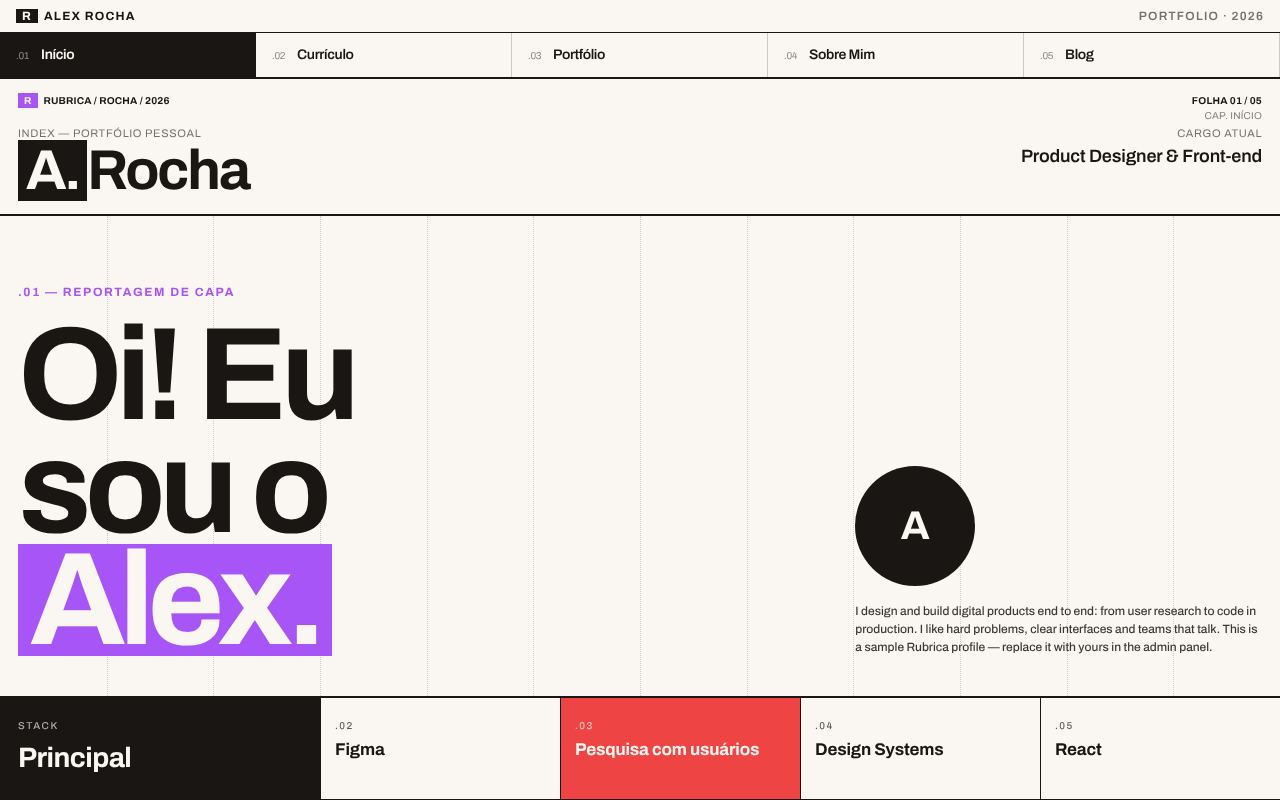
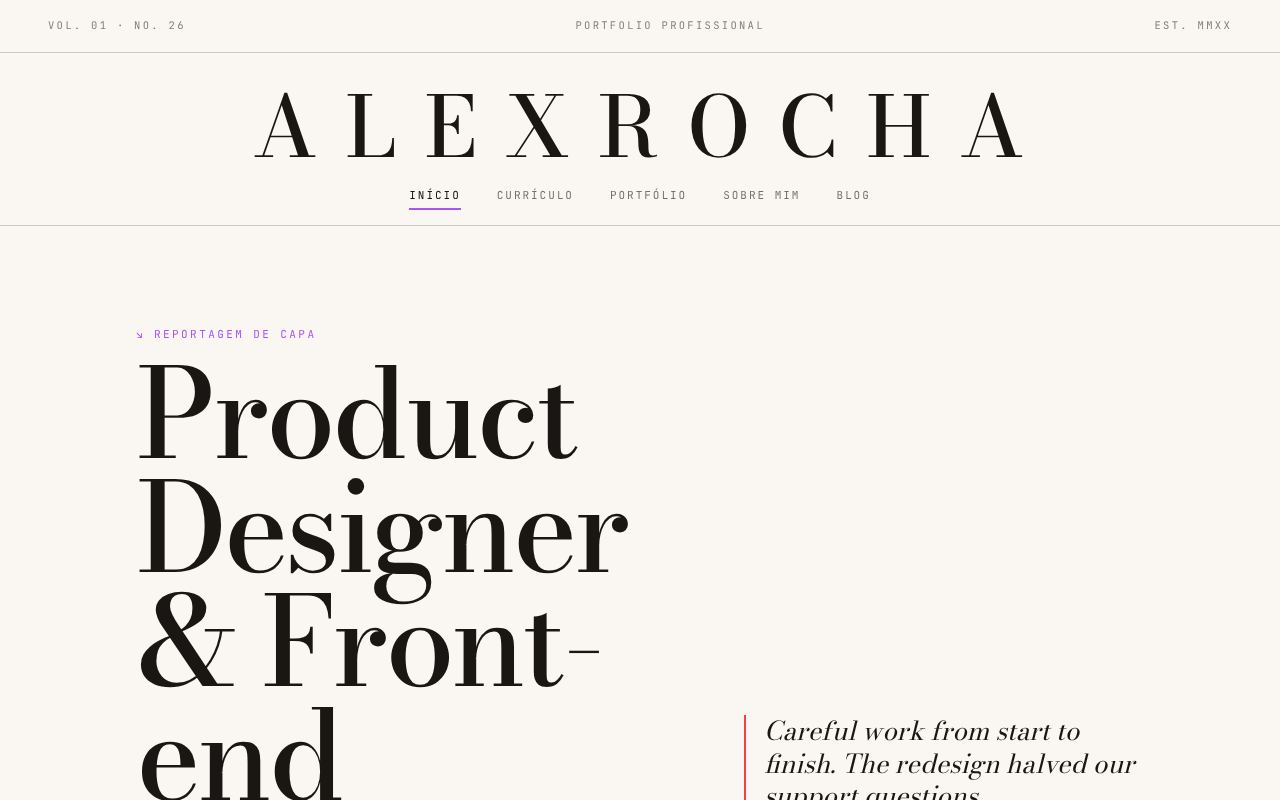
Cream paper and near-black ink, with purple and red as brand colors. Refined and timeless, made for blogs and portfolios with a lot of text.
Paper Noir — paper-noir
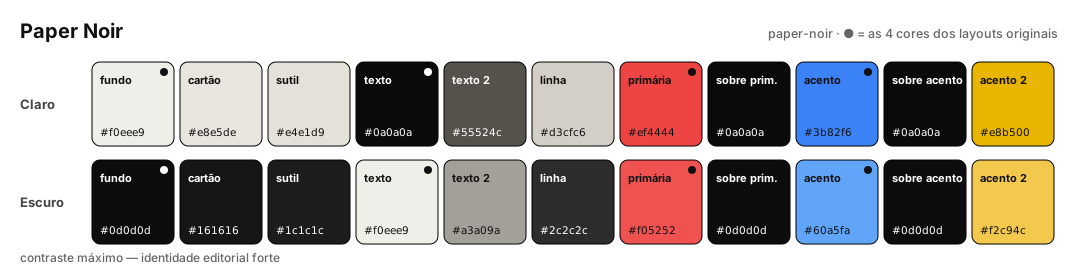
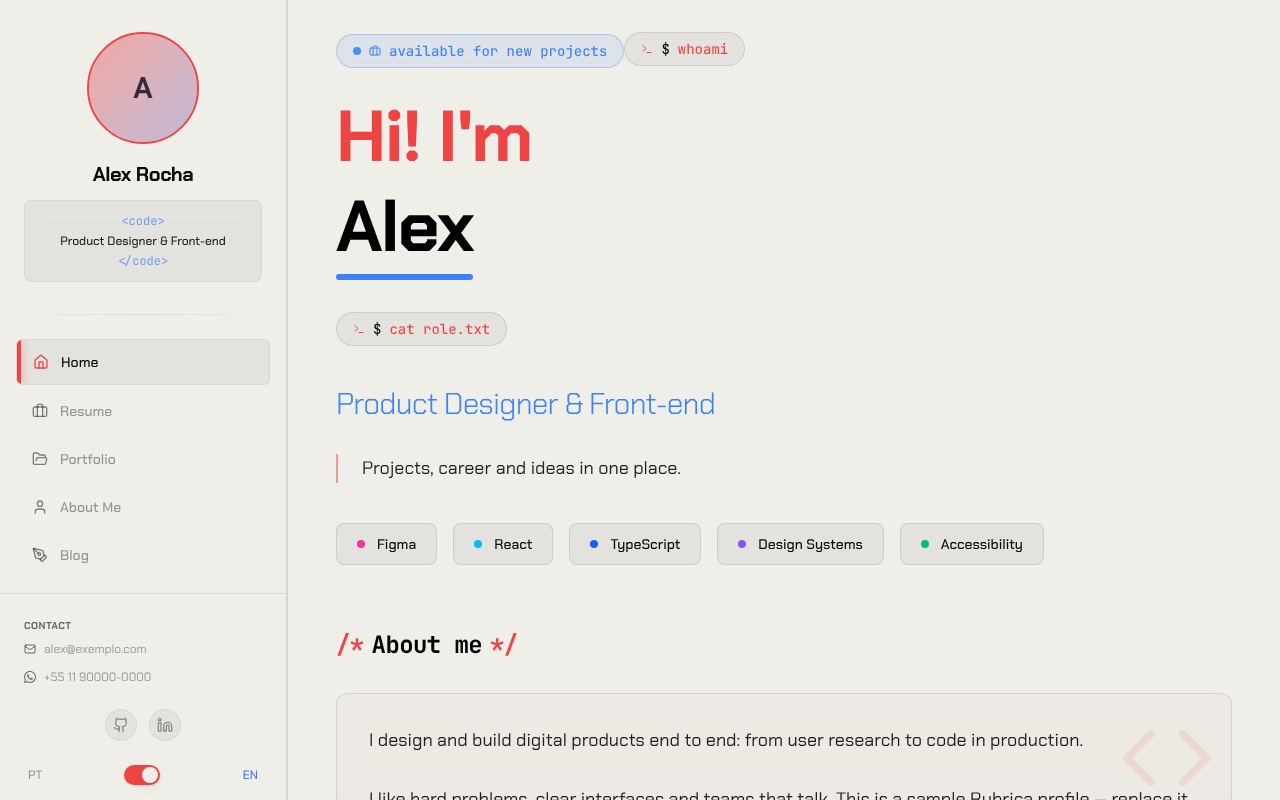
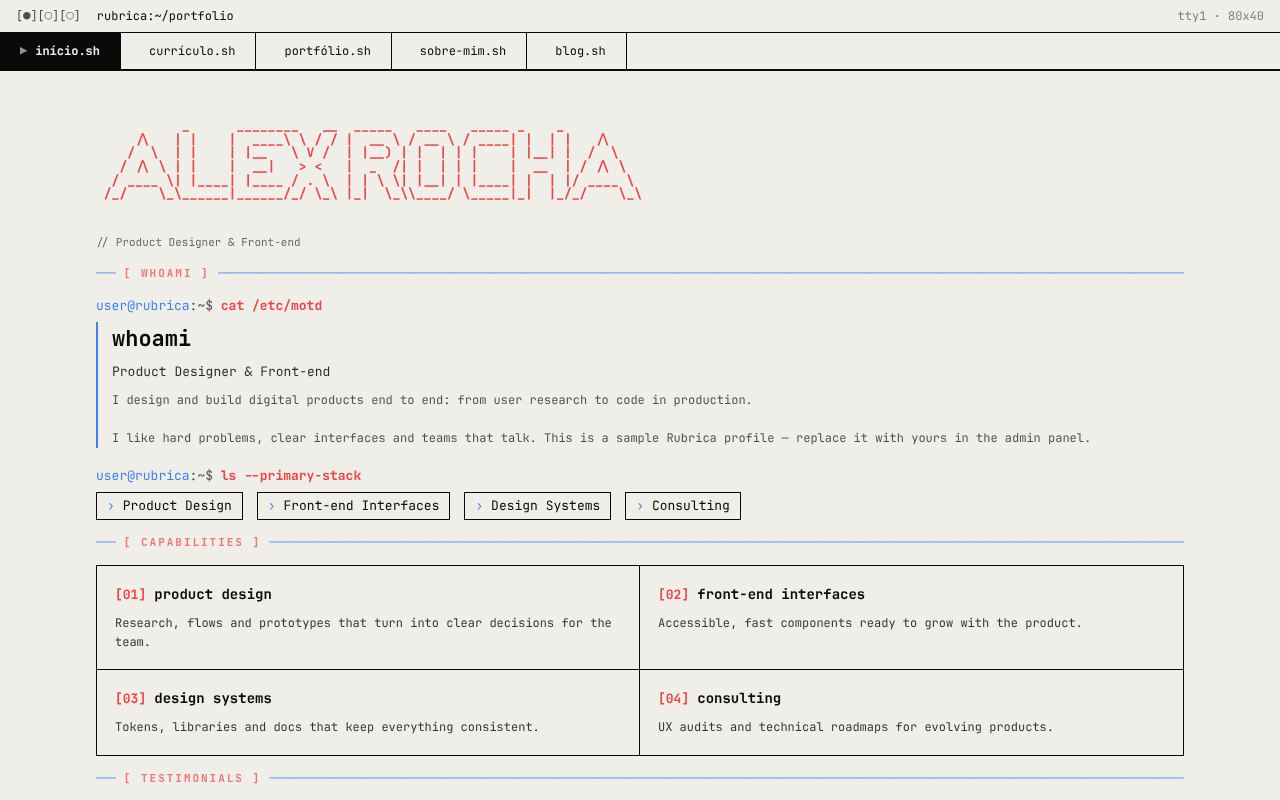
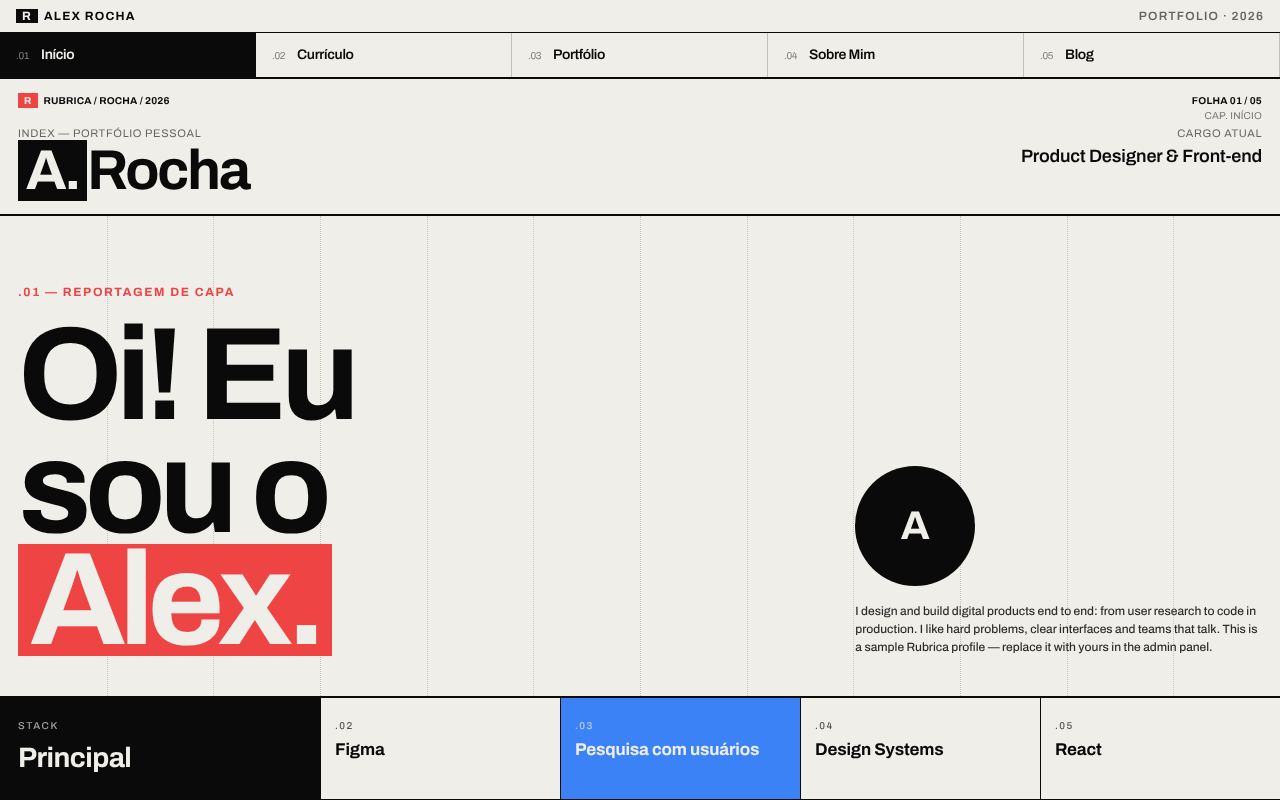
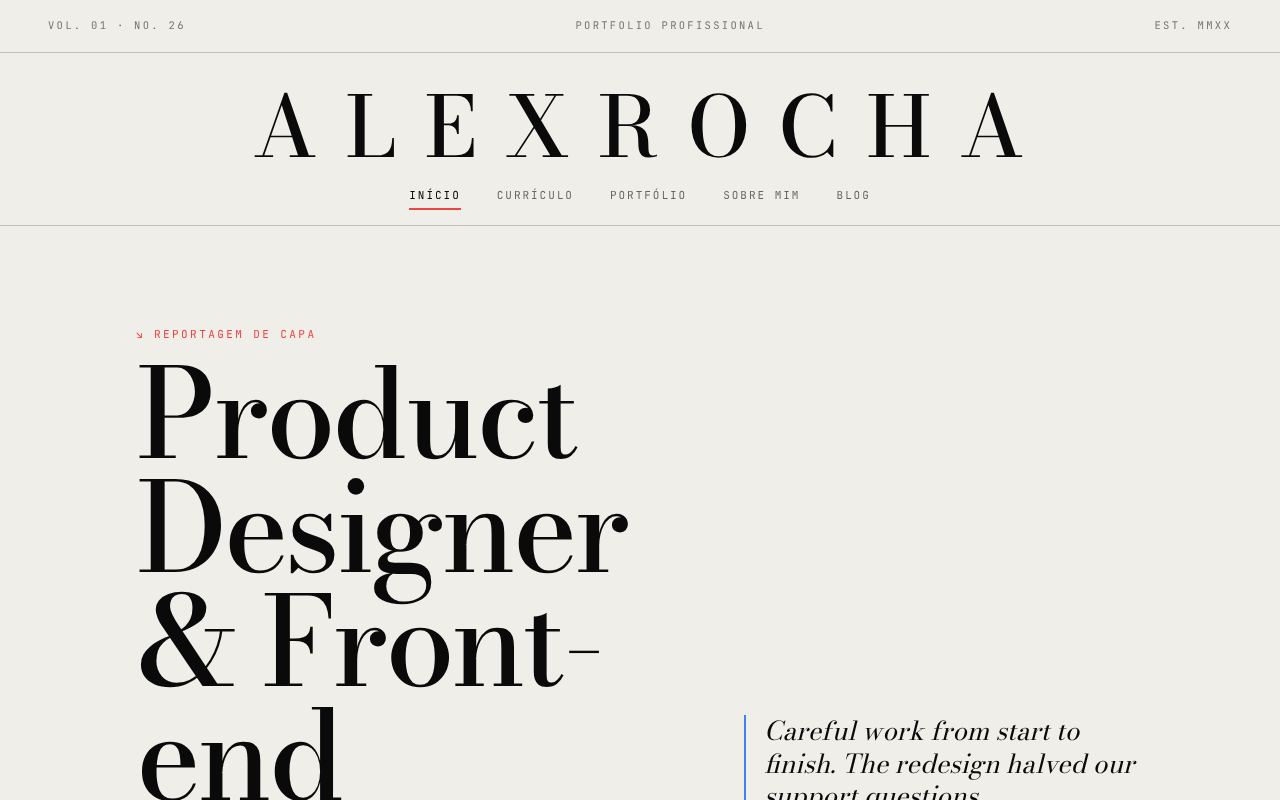
Off-white and pure black with primary red and blue. Maximum contrast and a strong editorial identity, in the line of Swiss design.
Midnight Blue — midnight-blue
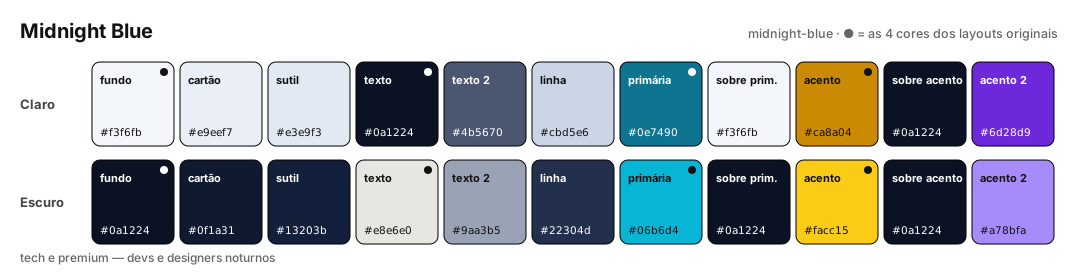
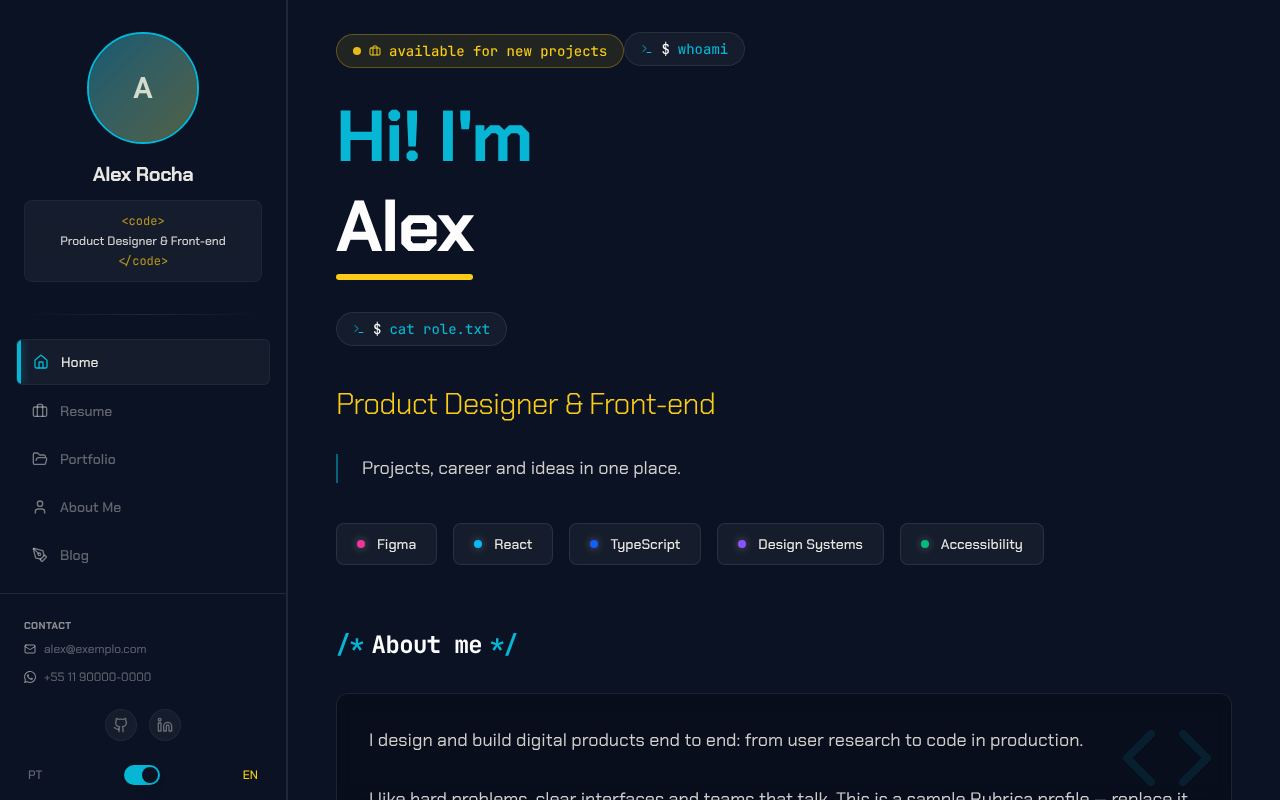
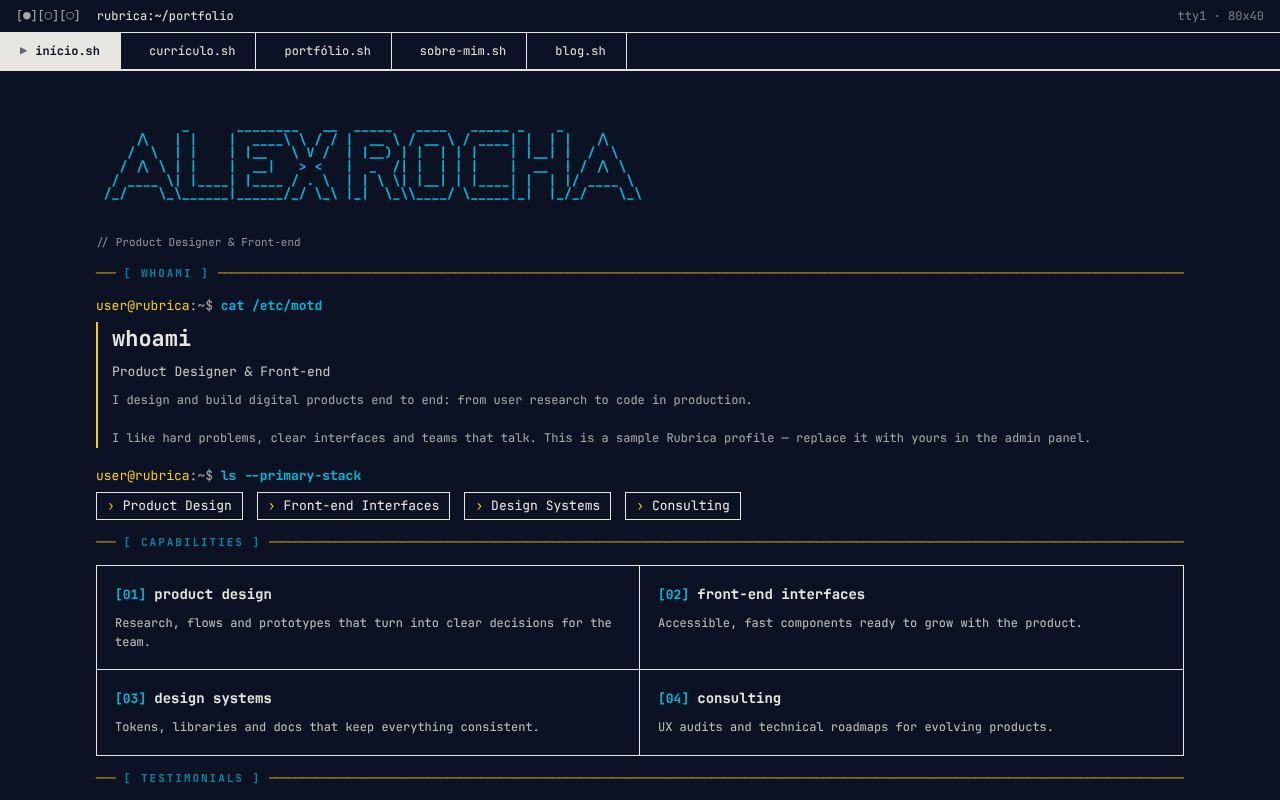
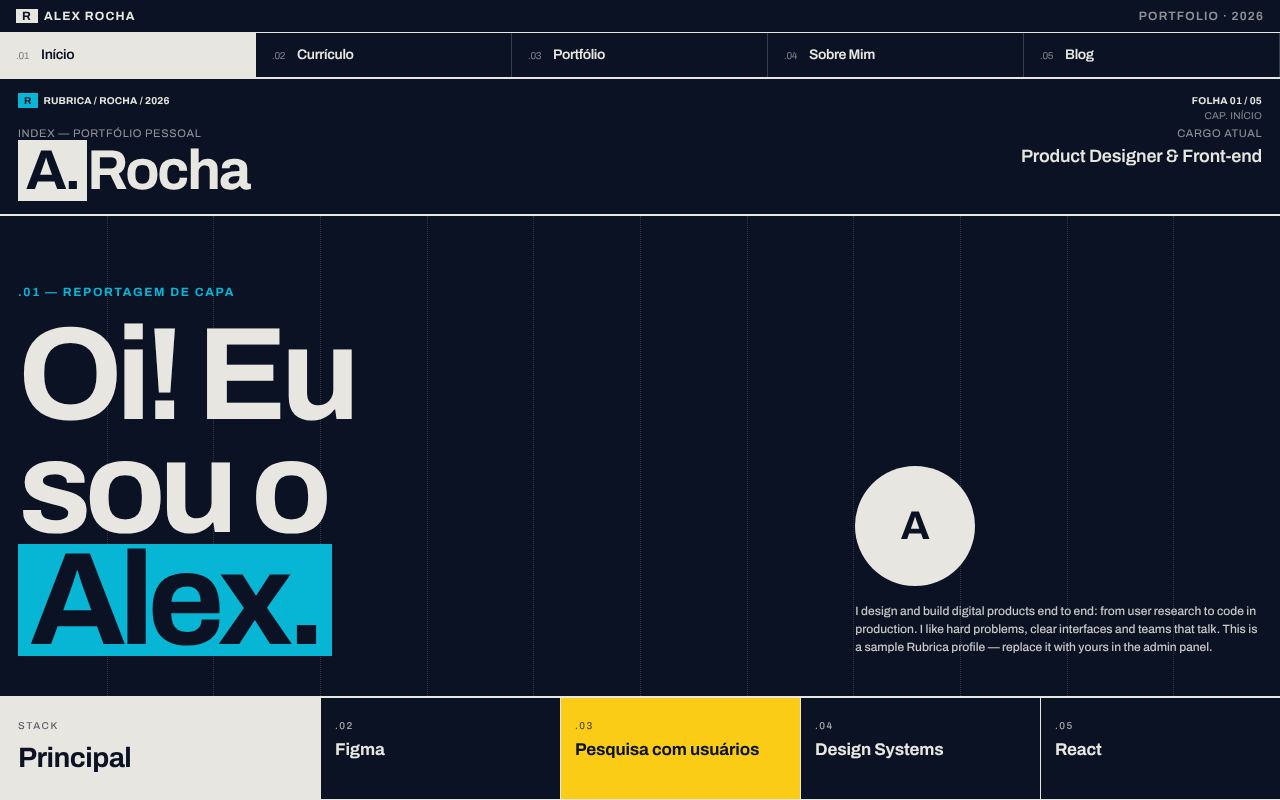
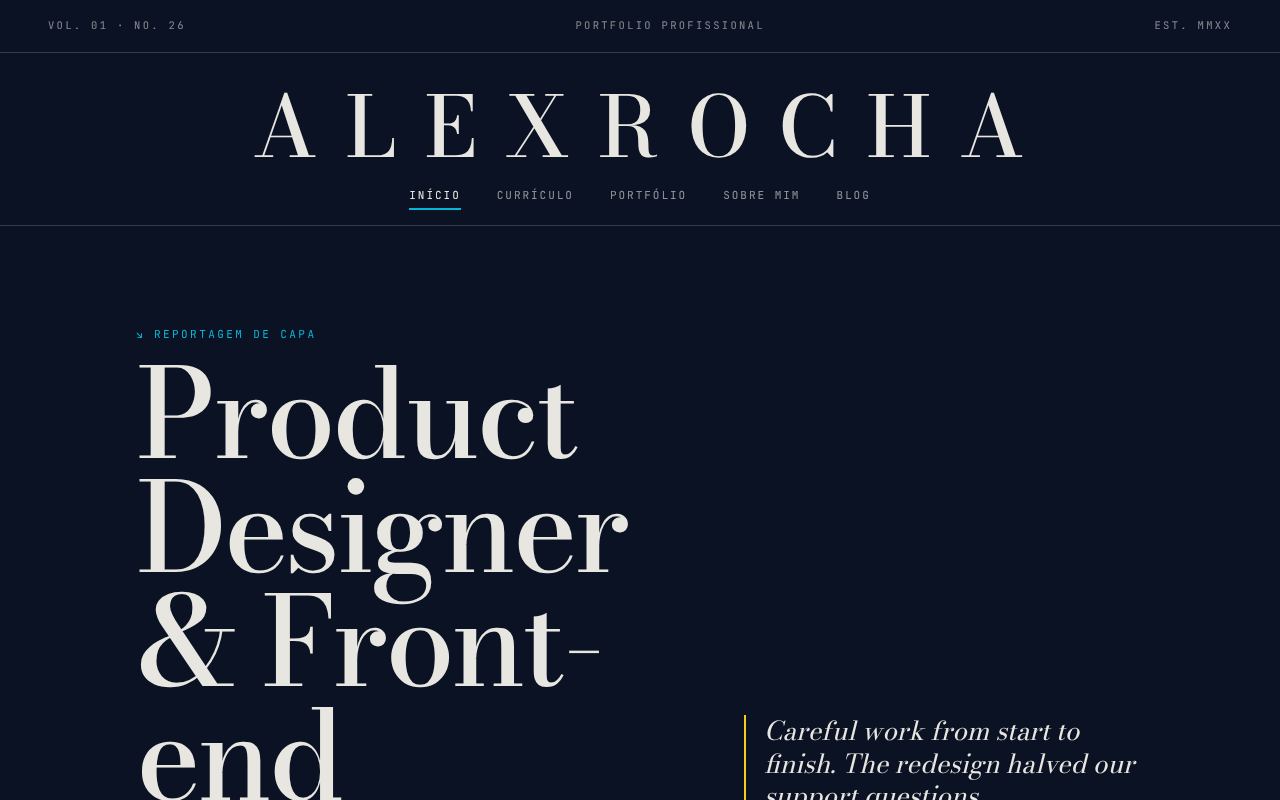
Deep midnight blue with cyan and yellow. Tech and premium, for devs and designers who prefer dark.
Solar Warm — solar-warm
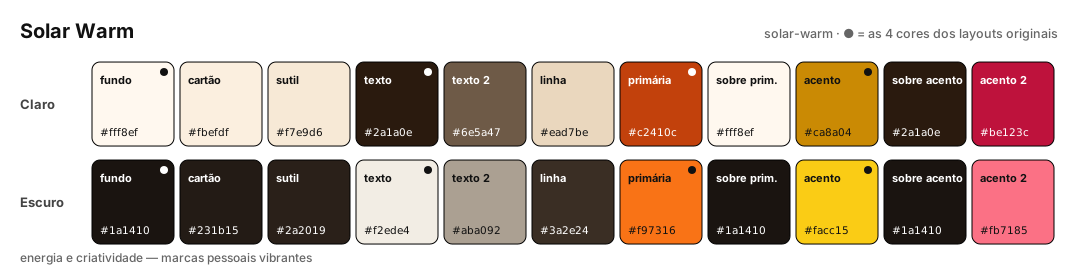
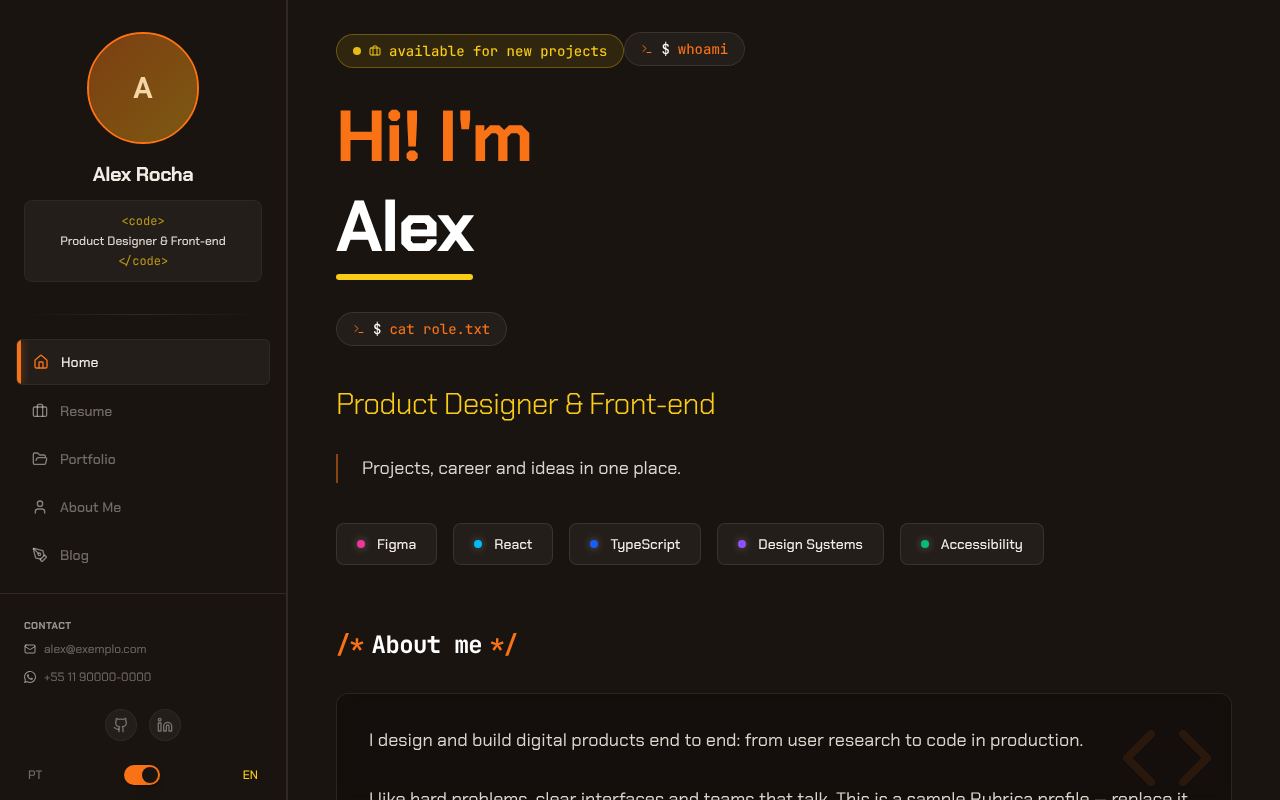
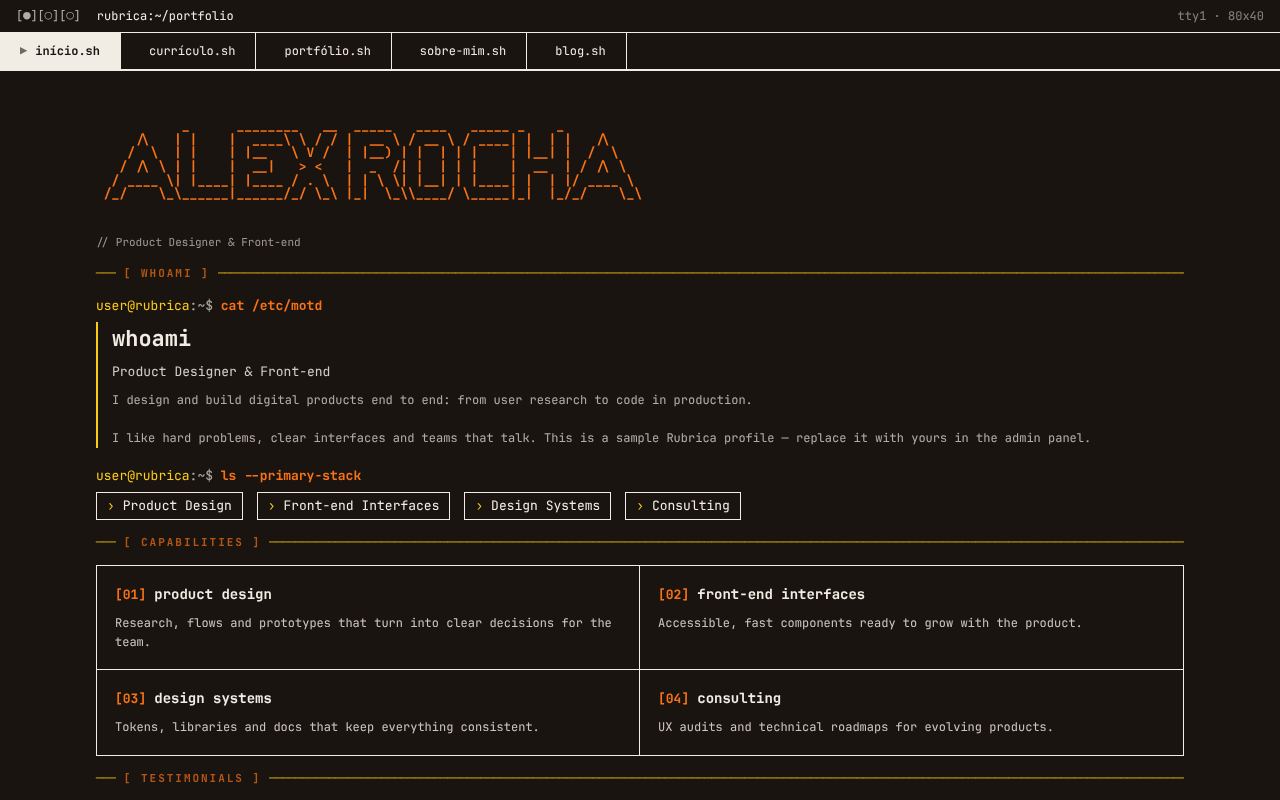
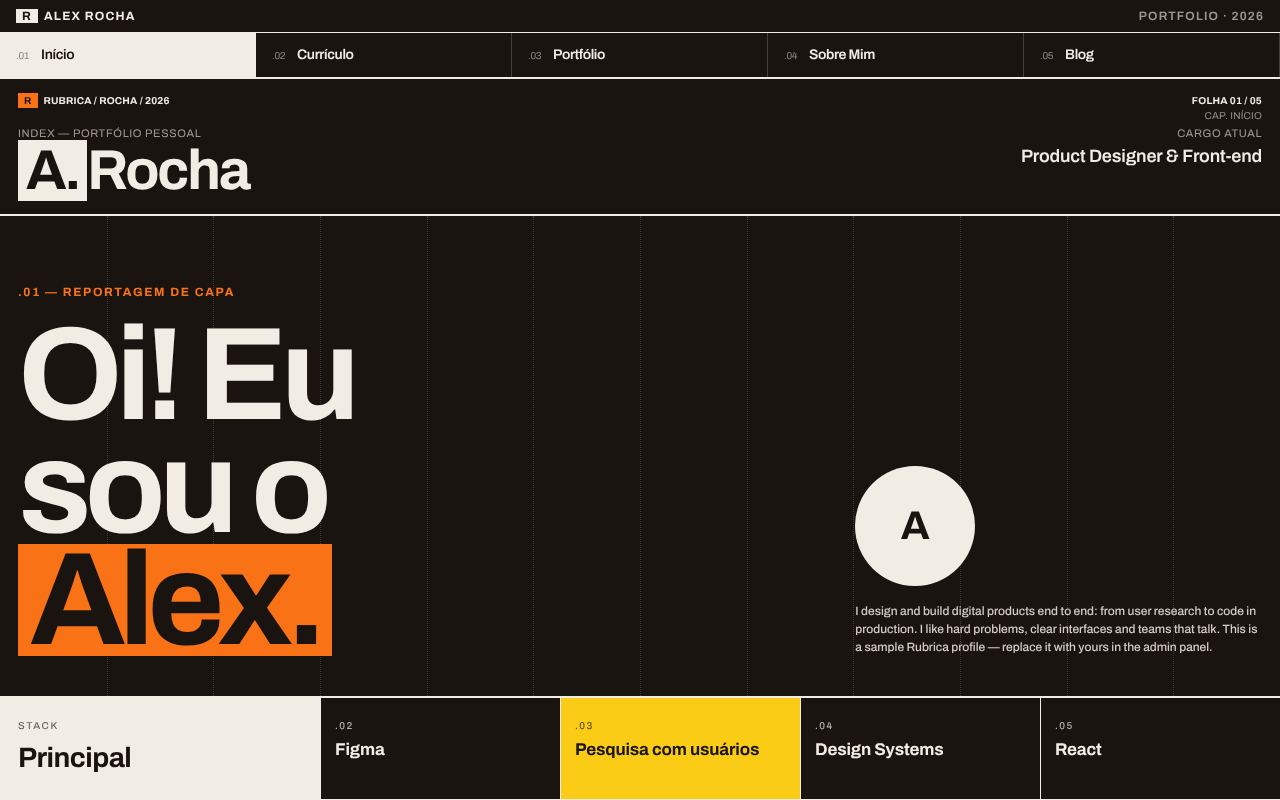
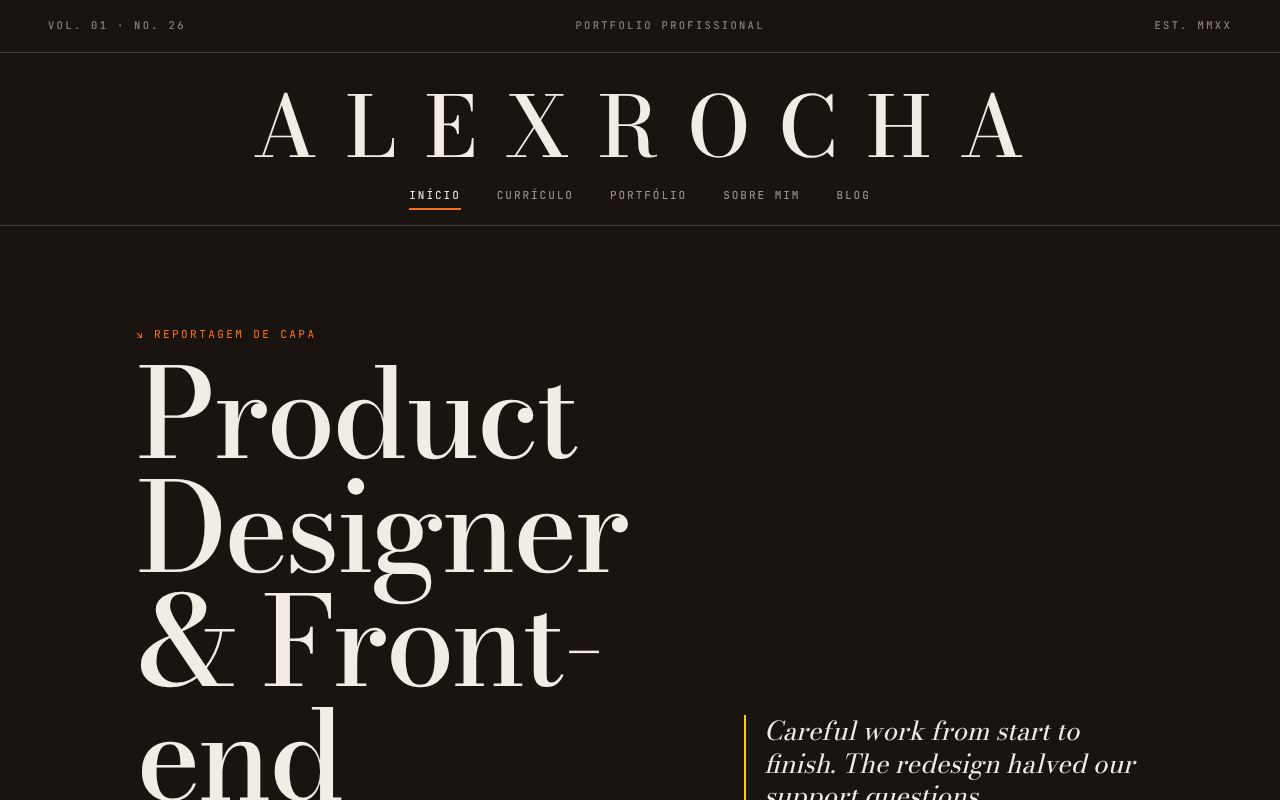
Near-black brown with orange and yellow. Energy and warmth, for vibrant personal brands.
Riso — riso
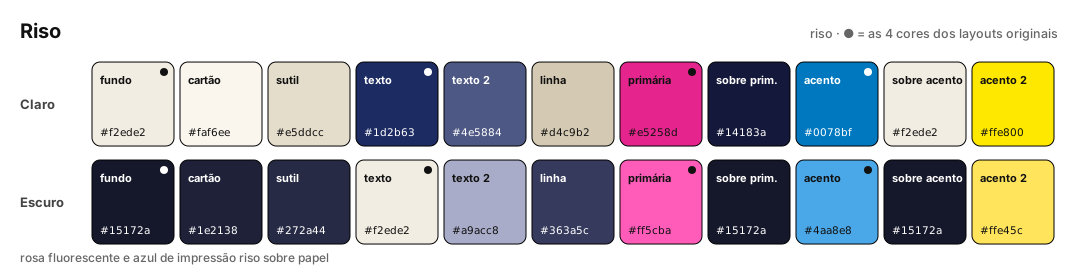
Fluorescent pink and risograph blue on paper, with a supporting yellow. Made for Zine.
Cianotipia — cianotipia
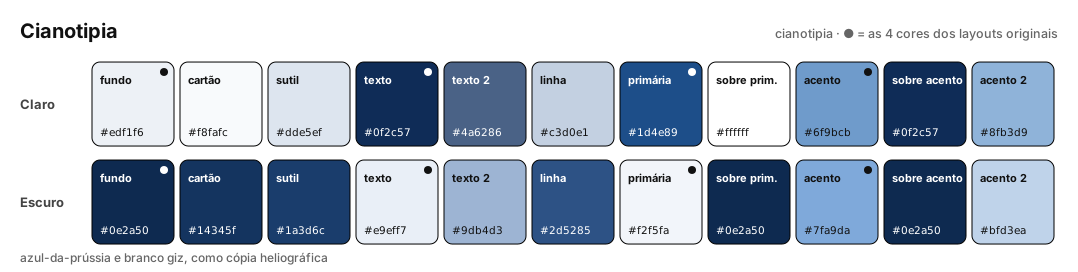
Prussian blue and chalk white, like a blueprint copy of a project. Made for Blueprint.
Tropicália — tropicalia
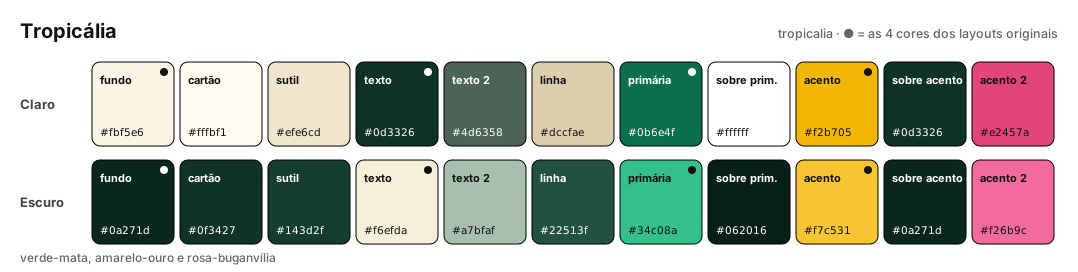
Forest green, golden yellow and bougainvillea pink, in the line of Burle Marx's gardens. Made for Pôster Cinético.
Azulejo — azulejo
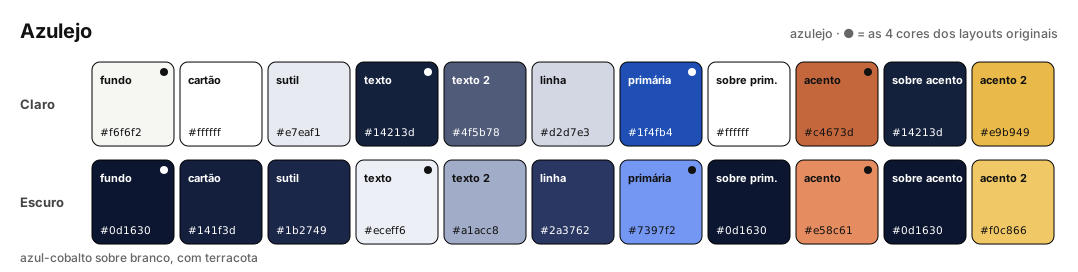
Cobalt blue on white, with terracotta and ochre. Made for Monografia.
Sumi — sumi
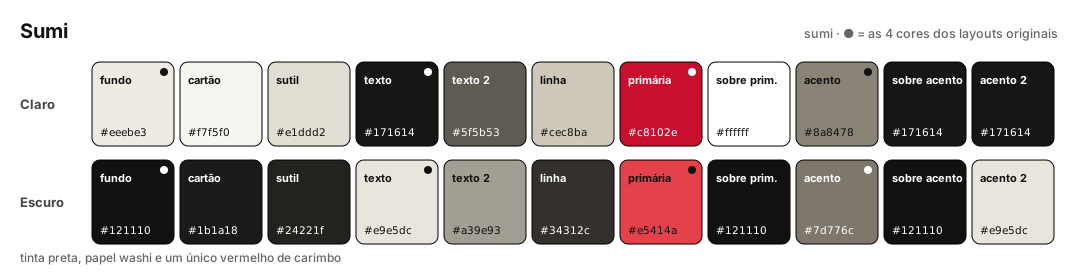
Black ink, washi paper and a single seal red. Made for Índice.
Fósforo — fosforo
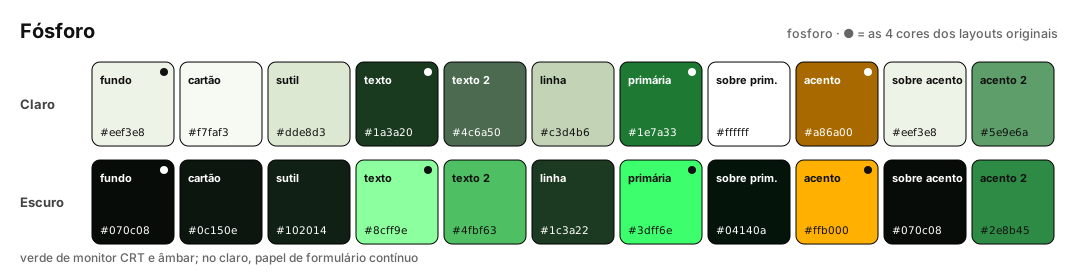
CRT monitor green and amber in dark mode; in light mode, continuous-form paper.
Crepúsculo — crepusculo
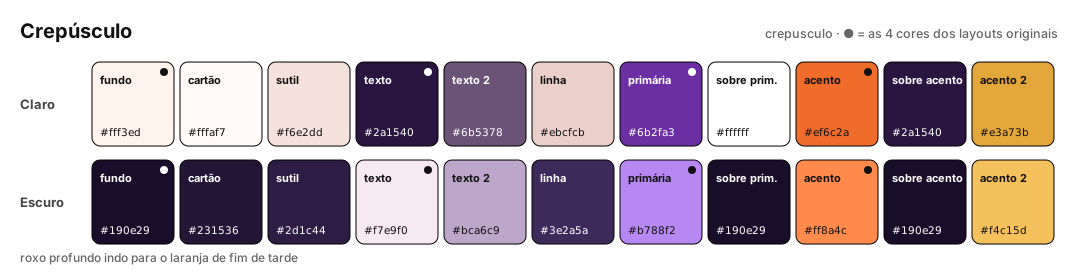
Deep purple fading into late-afternoon orange. Made for Jardim Digital.
Concreto — concreto
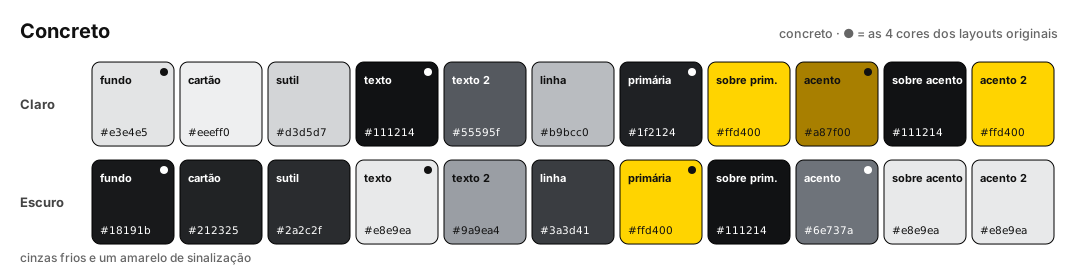
Cool grays and a construction-sign yellow.
Sorbet — sorbet
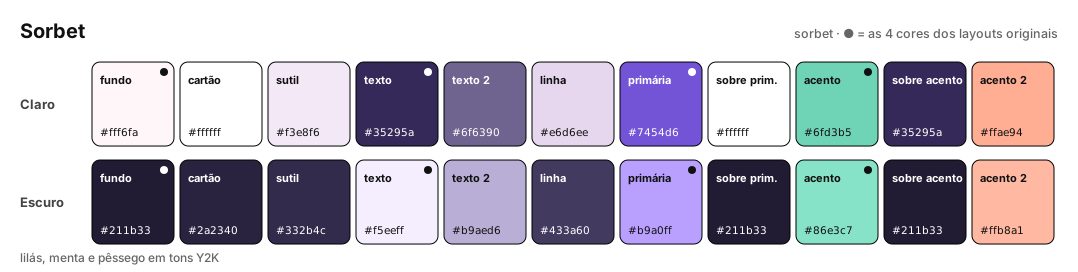
Lilac, mint and peach in Y2K tones. Made for Desktop Retrô.
Alto Contraste — alto-contraste
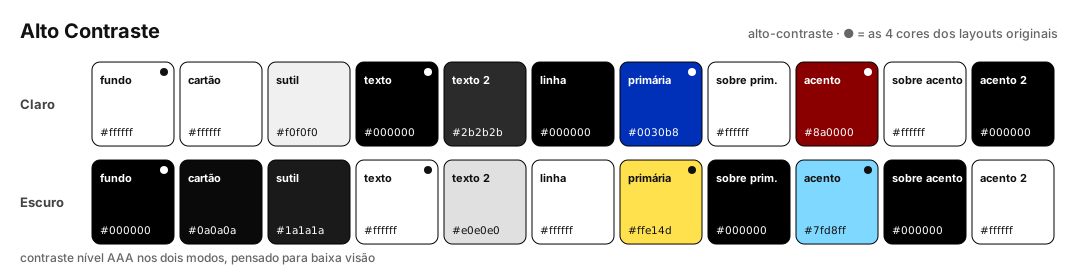
AAA-level contrast in both modes, designed for low vision. Made for Conversa and good with any layout.
In practice: the original layouts in each palette
Same page, same content: only the 4 colors change. Screenshots in each original palette's native mode (Editorial Cream and Paper Noir in light, Midnight Blue and Solar Warm in dark).
Cyberpunk
| Editorial Cream | Paper Noir |
|---|---|
 |
 |
| Midnight Blue | Solar Warm |
 |
 |
Brutalism Terminal
| Editorial Cream | Paper Noir |
|---|---|
 |
 |
| Midnight Blue | Solar Warm |
 |
 |
Swiss Grid
| Editorial Cream | Paper Noir |
|---|---|
 |
 |
| Midnight Blue | Solar Warm |
 |
 |
Bento
| Editorial Cream | Paper Noir |
|---|---|
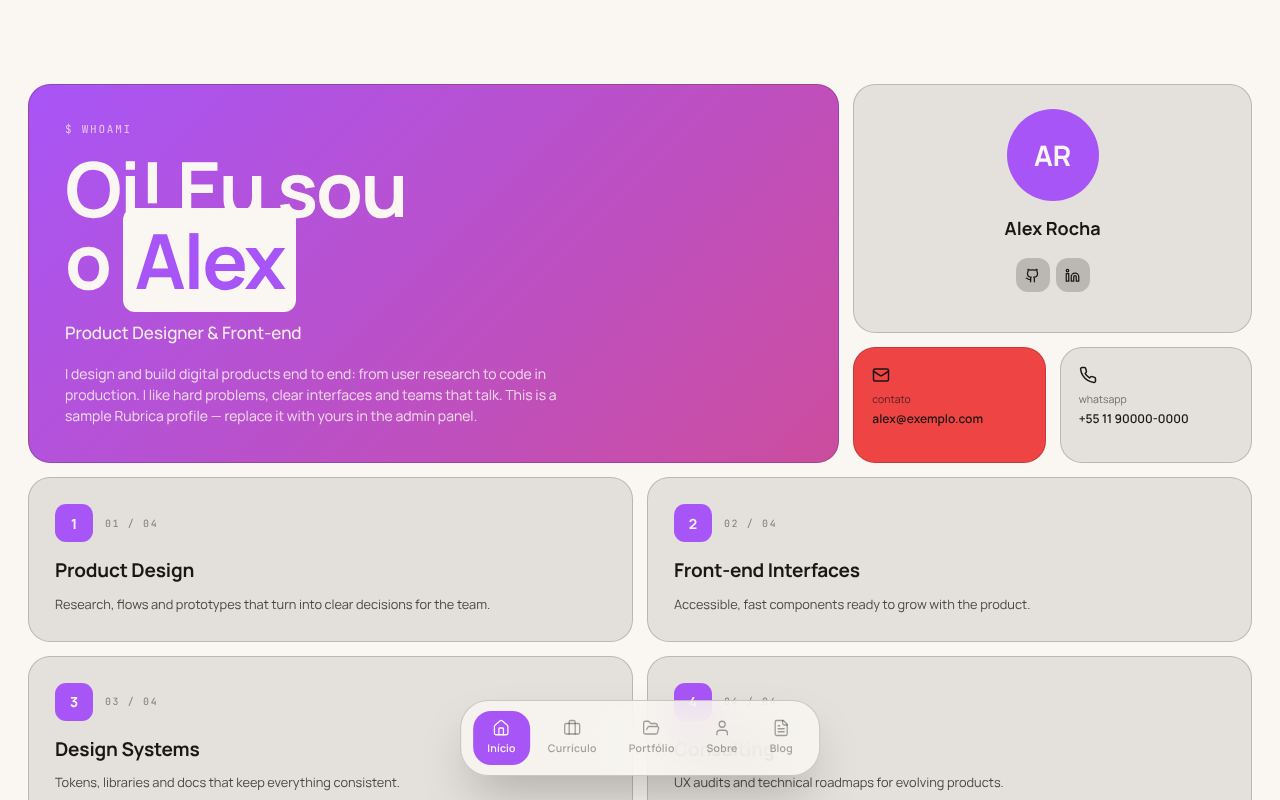 |
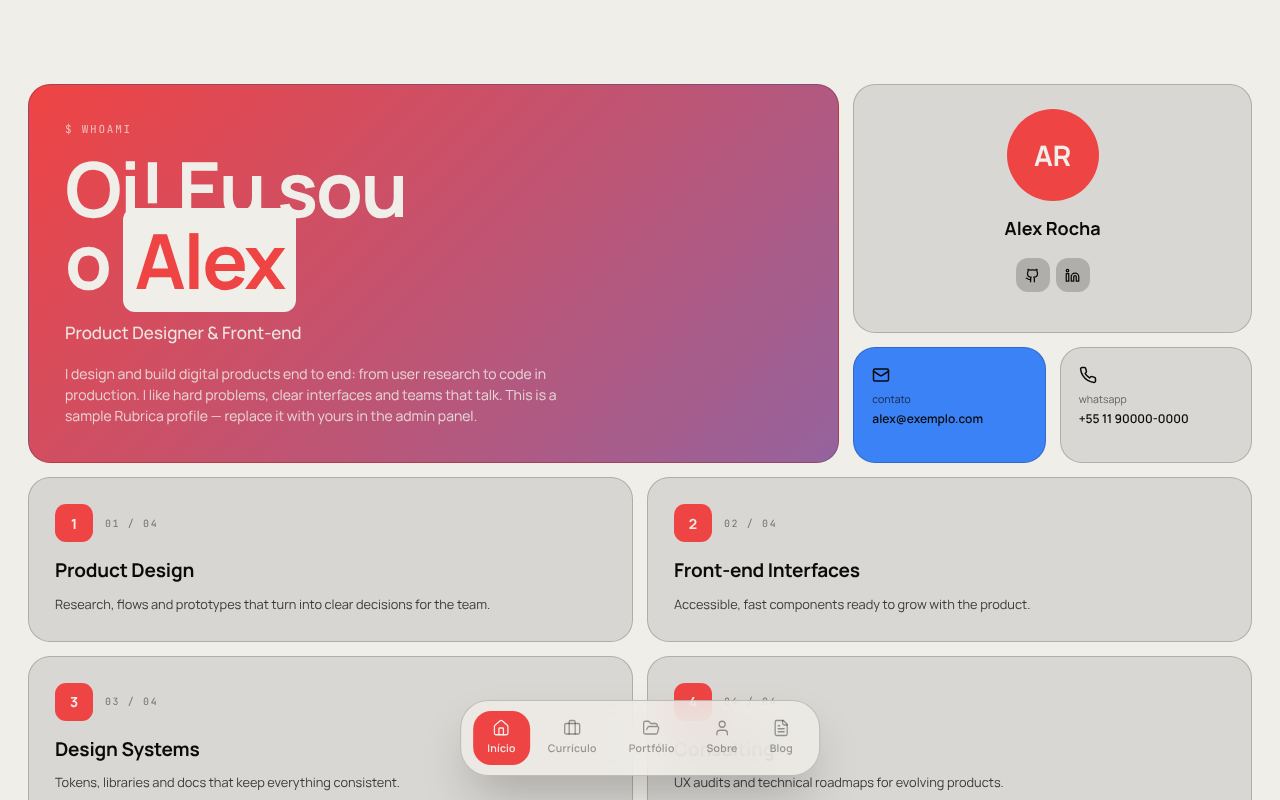 |
| Midnight Blue | Solar Warm |
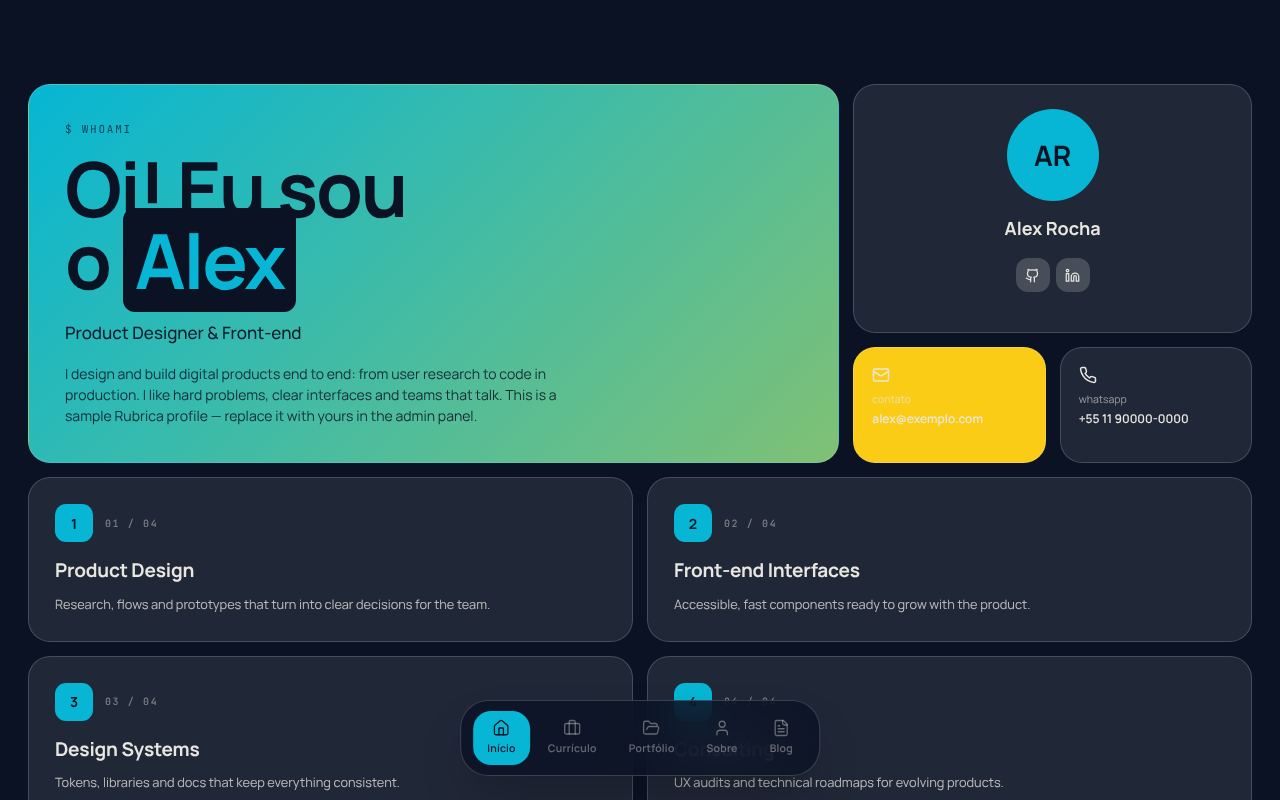 |
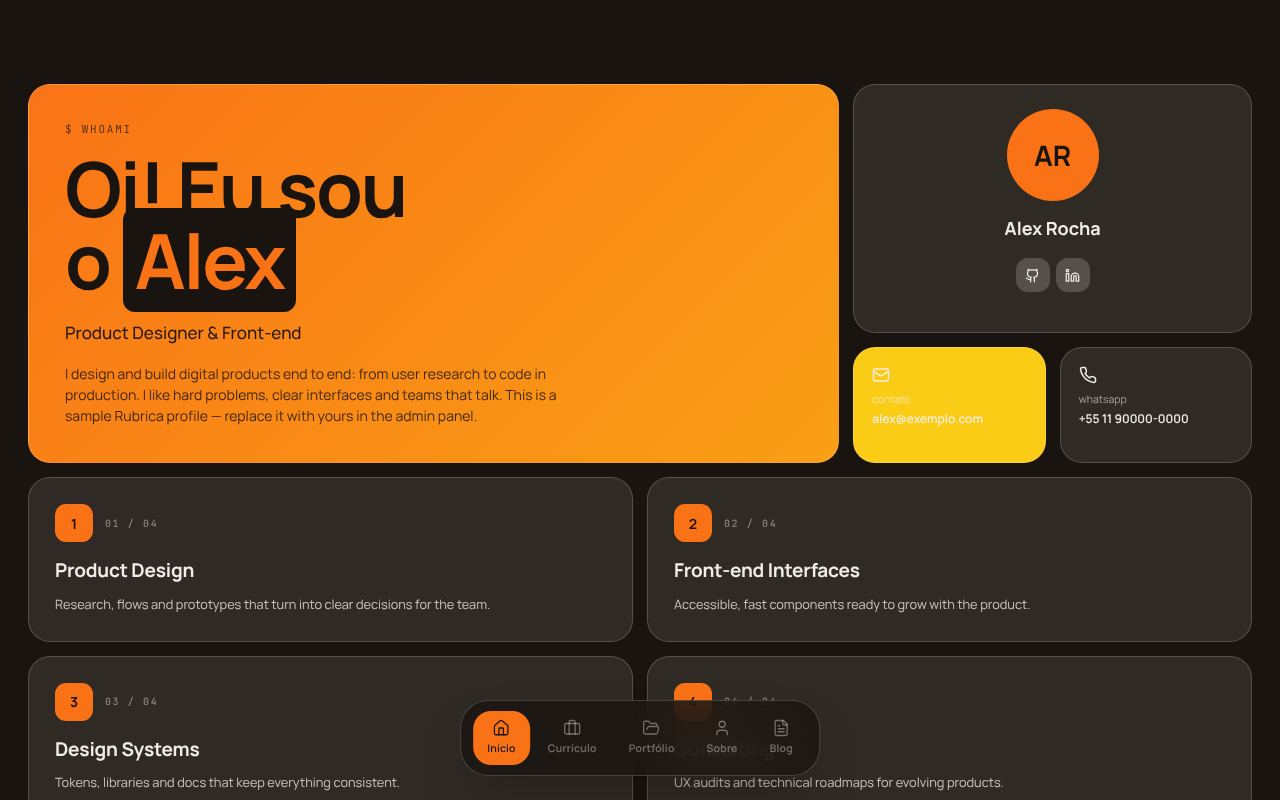 |
Magazine
| Editorial Cream | Paper Noir |
|---|---|
 |
 |
| Midnight Blue | Solar Warm |
 |
 |