
Documentation
Brutalism Terminal
Translated from the Portuguese original. Labels from the CLI and the admin panel stay in Portuguese, as you will see them.
Full hacker identity — monospace, no rounded corners.
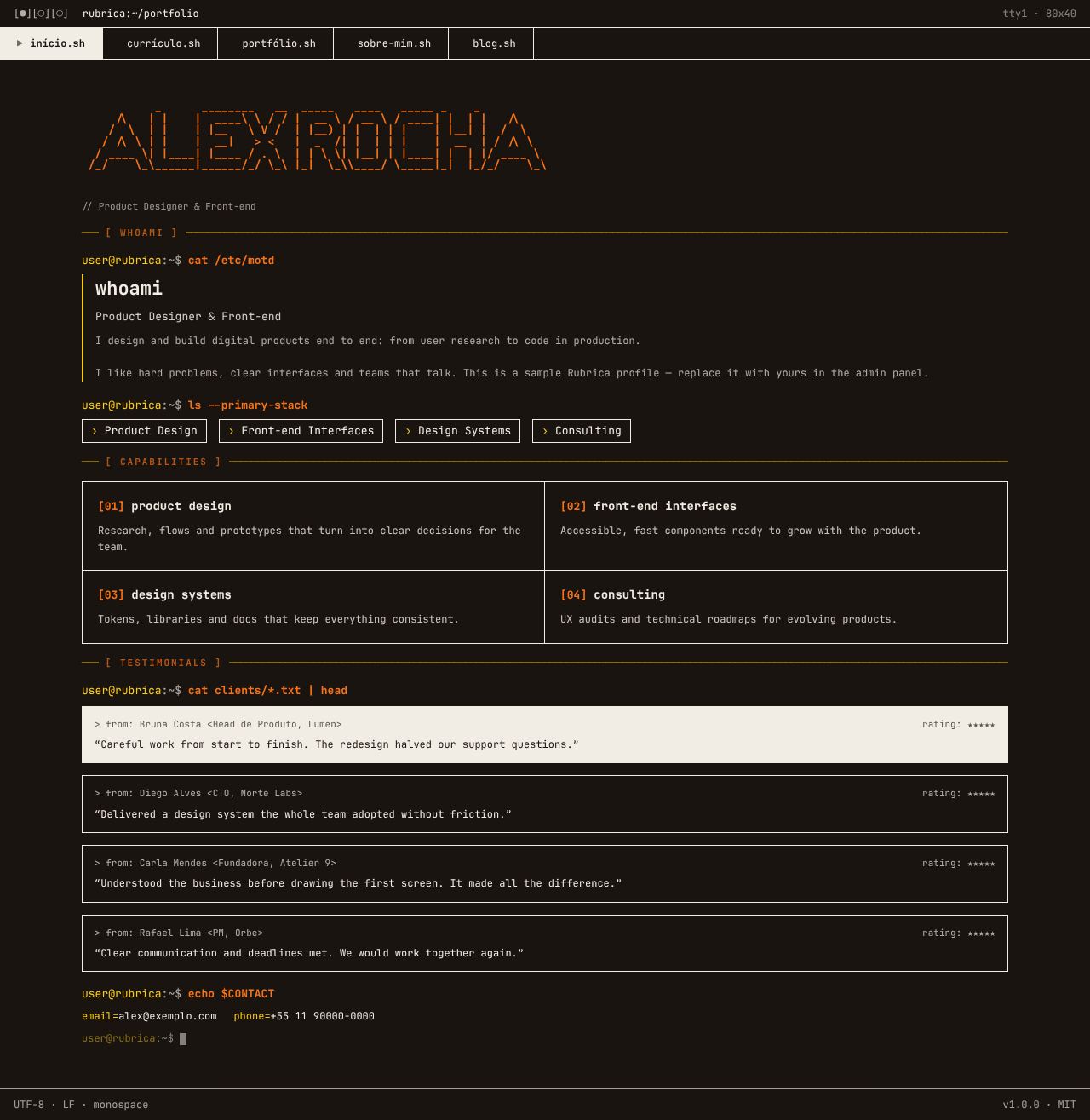
Screenshots use the Solar Warm palette. See the layout in every palette in Color schemes.
Concept
The whole site imitates a Unix terminal session. Each section is a command (user@rubrica:~$ cat about.txt) followed by its "output", and sections are separated by ASCII rules like ─── [ WHOAMI ] ────. The whole interface uses a 13px monospace font, the maximum width is 1200px and there is not a single rounded corner: everything is a straight box with solid 1–2px borders in the text color.
Colors follow a fixed code: the primary paints commands, labels and highlights; the accent paints the prompt host and the markers (›, #, the dash in the rules); and the active or most important item appears inverted (text-colored background, background-colored text).
- Recommended font: JetBrains Mono — the layout uses
--font-monoeverywhere. - Template files:
Layout.tsx,Navbar.tsxand the 5 pages inpages/.
Global structure
- Window bar:
[●][○][○] rubrica:~/portfolioon the left; on the right, the light/dark mode button ("modo escuro"/"modo claro"; on mobile only the icon, and only with the toggle on) andtty1 · 80x40(hidden on mobile). - Tabs as scripts:
início.sh,currículo.sh,portfólio.sh,sobre-mim.sh,blog.sh. The active tab is inverted and gets the▶marker; tabs for disabled plugins disappear. - Status footer:
UTF-8 · LF · monospaceandv1.0.0 · MIT. - On mobile, the tabs scroll horizontally.
Pages
Home
- The name becomes an ASCII banner generated with figlet ("Big" font) in the primary; while it is generated, the name shows as large text.
cat /etc/motdshows the value statement (home.hero.headline), the role and the "sobre" (about) text, followed by the› Ver casesand› Fale comigobuttons (the latter only with the contact form on).[ STATS ]: up to 4 highlight numbers (admin → Home → Números) in side-by-side boxes; it disappears when there are no numbers.[ CASES EM DESTAQUE ]:ls -la cases/ --featuredshows the first 3 projects with a case, each with the first metric and the$ cat case.mdlink.[ CAPABILITIES ]lists the numbered services ([01],[02]…).cat clients/*.txt | headshows the testimonials as files (> from: nome <cargo>), with the first one inverted.[ CONTACT ]:./contato.shwith two paths,› Tenho um projeto(I have a project) and› Tenho uma vaga(I have a job opening).echo $CONTACTprintsemail=andphone=depending on each one's visibility, and the page ends with a blinking cursor.
Resume
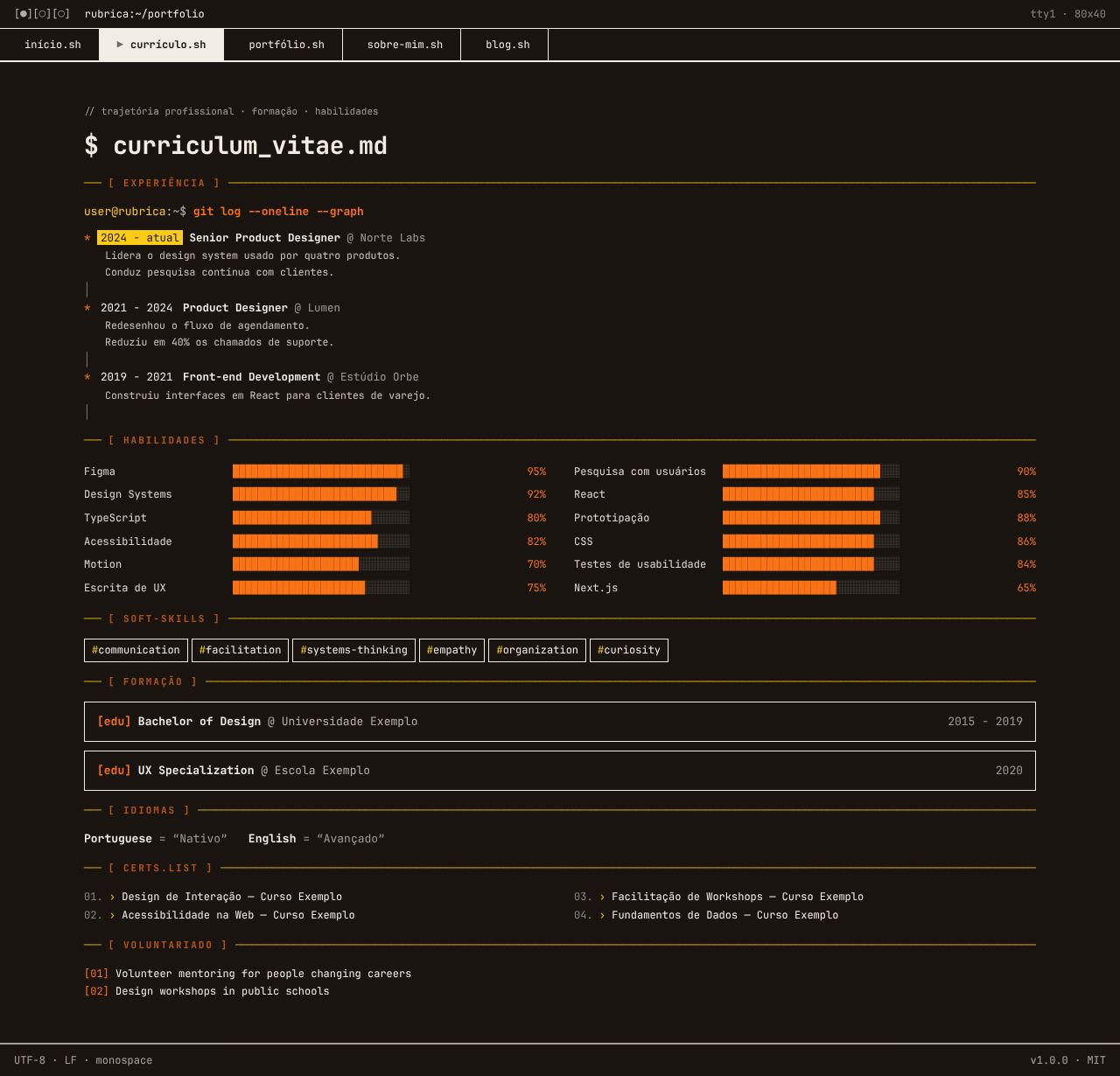
[ RESUMO ]:cat summary.txtwith the first paragraph of "sobre", the highlight numbers and the↓ Baixar CV (PDF)button.- Experience as
git log --oneline --graph: each role is a commit, with the current period highlighted. The 2 most recent show; older ones sit behind[+] ver experiências anteriores. - Skills grouped by category (
## design,## front-end…) as chips, with no numeric level. Skills without a group go to## stack. - Soft skills as
#hashtags-em-kebab, languages asNome = "nível", education in[edu]boxes, courses numbered in 2 columns and volunteering in a<pre>block.
Portfolio
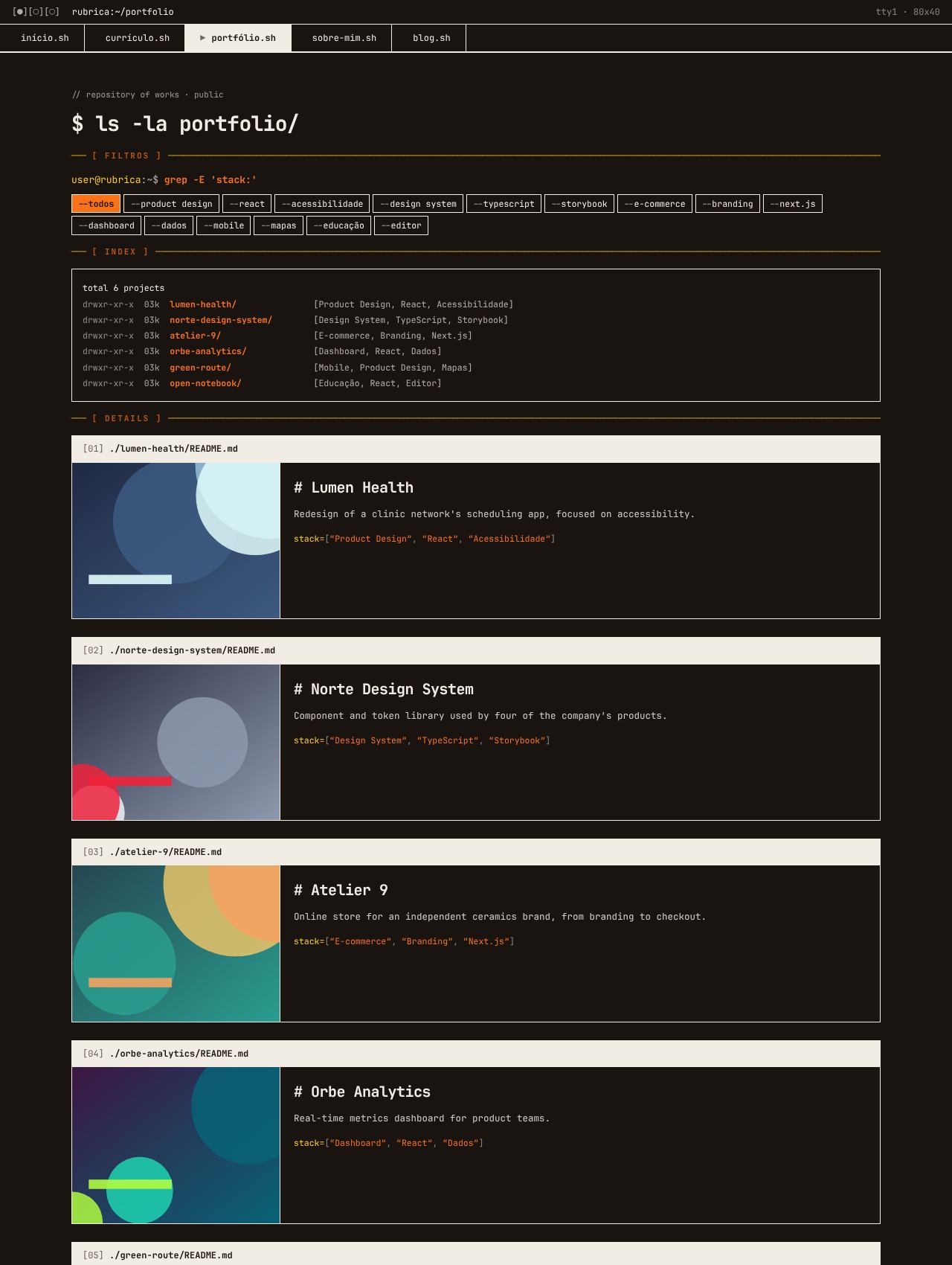
- Category filter shaped like flags:
--todos,--produto-digital,--e-commerce… The row disappears when no project has a category. [ INDEX ]: the project list inls -laformat (drwxr-xr-x, kebab-case-name/ and the category).[ DETAILS ]: one "README" per project, with an inverted[01] ./nome/README.mdheader, image, description, the case's first metric andstack=[…]. There is a single action:$ cat case.mdwhen there is a case; otherwise,$ open --demoand$ open --sourcewhen there are links.
About
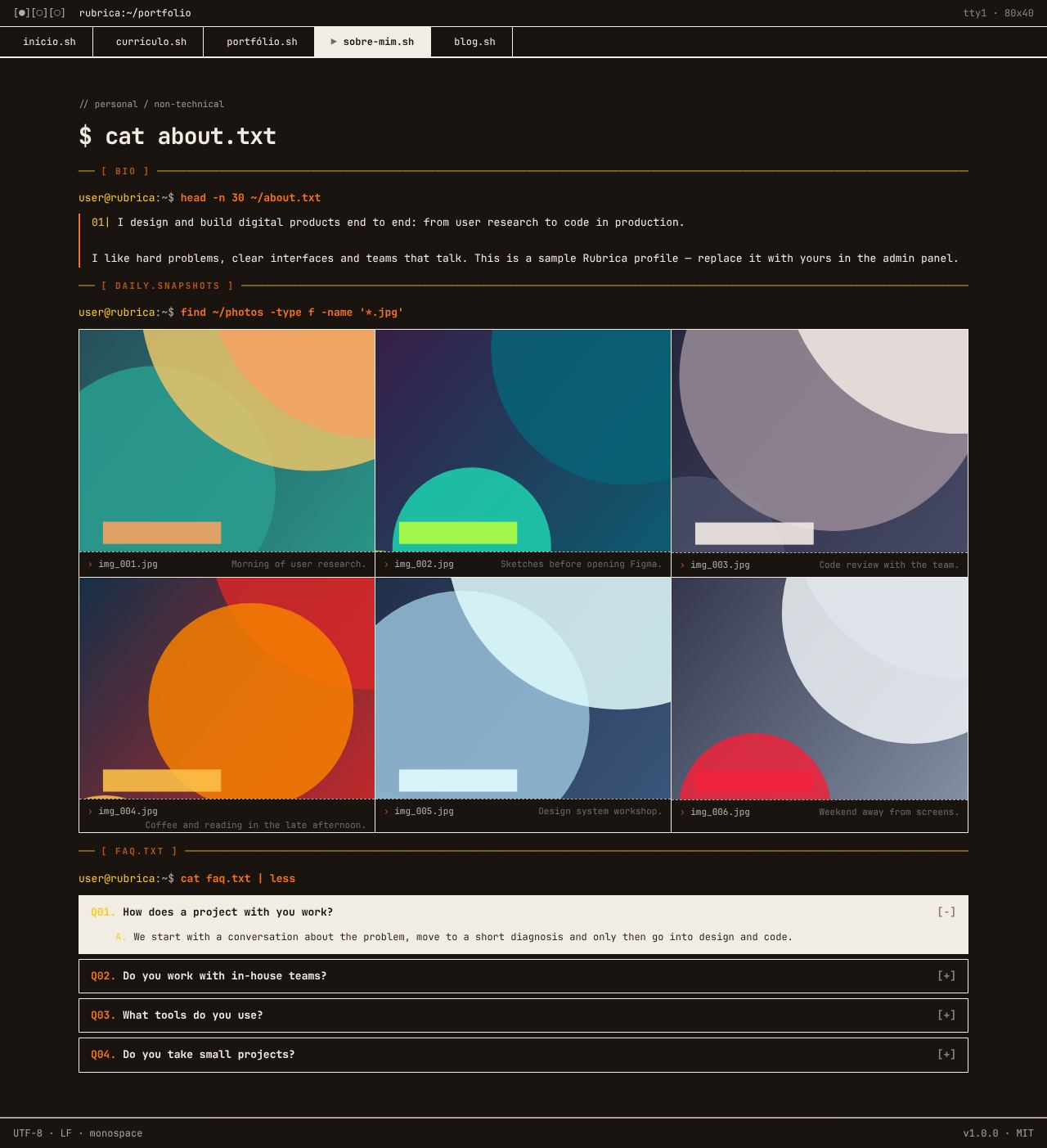
[ RESUMO PROFISSIONAL ]:head -n 30 ~/about.txt, the "sobre" text in numbered paragraphs (01|), with the result numbers highlighted.[ COMO EU TRABALHO ]:cat ~/method.mdwith the work principles (admin → Home → Princípios) in numbered boxes; it disappears when there are no principles.[ FORA DO TRABALHO ]:cat ~/offline.txtwith the personal text, after the professional one.find ~/photos: the day-to-day in a 3-column grid, withimg_001.jpgcaptions.cat faq.txt | less: FAQ in<details>(Q01./A.), the first one open and inverted.
Blog
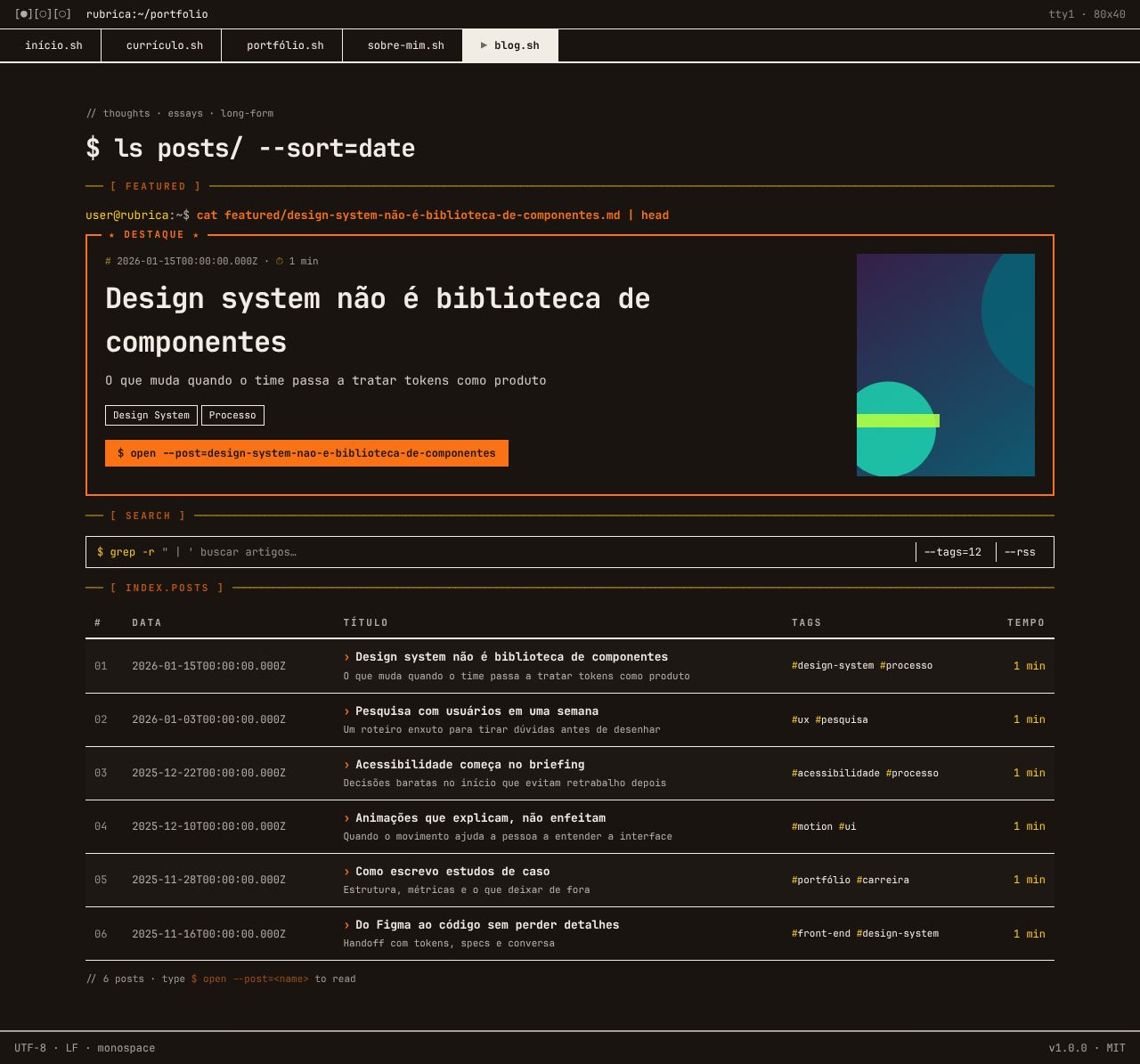
[ FEATURED ]: the featured post in a box with a primary border and a★ DESTAQUE ★badge, with date, reading time, tags and the$ open --post=<slug>"button".- A decorative search bar (
$ grep -r,--tags,--rss). [ INDEX.POSTS ]: the posts as a table (#, date, title, tags, reading time) with zebra rows.
Known limitations
- The pages use fixed grids (2 and 3 columns) with no breakpoints: on mobile, the content shrinks instead of reflowing.
- The Blog search bar is decorative, and the posts in the table do not have links yet.